
The Request Lifecycle: From Click to Database Write
Build a mental model of the full request chain. This guide shows what happens on the network and server side when you click a button.

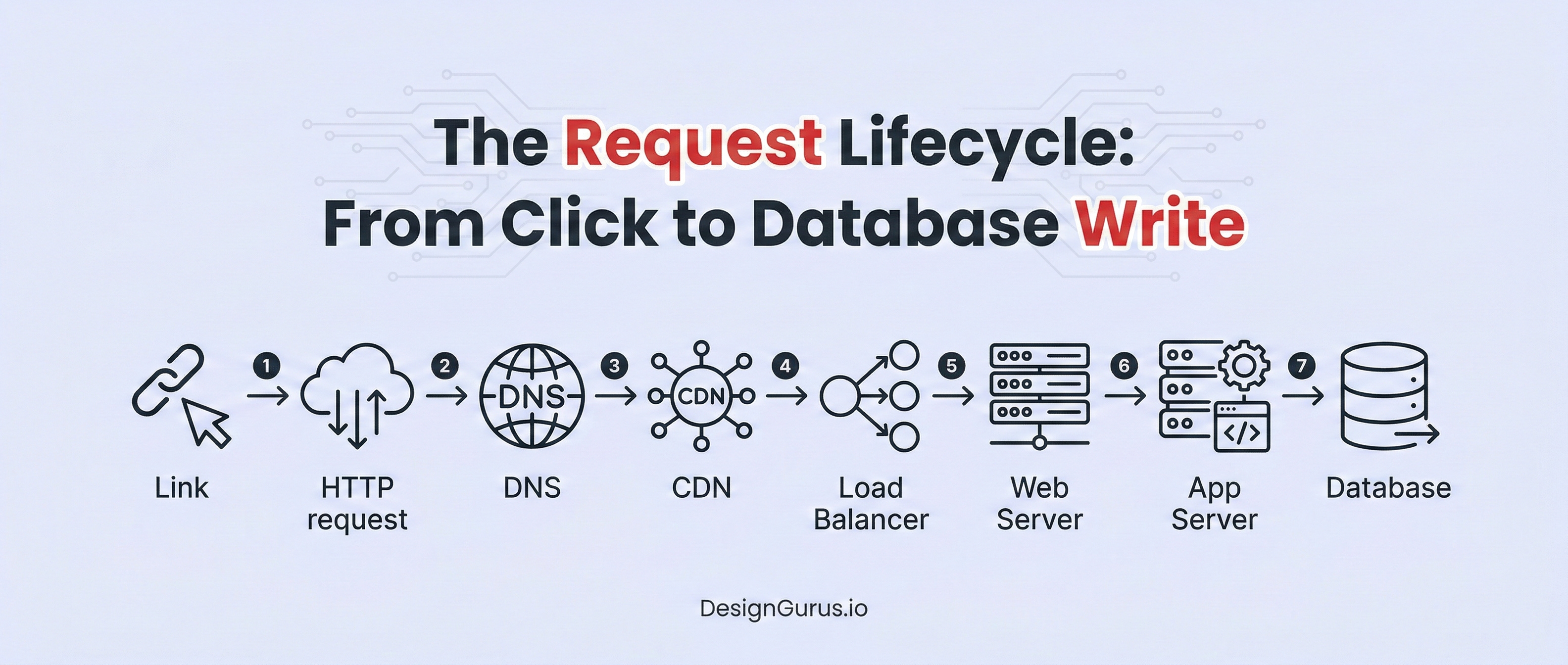
A single button click on a website triggers a complex journey behind the scenes.
In large web applications, requests pass through several layers, from the client browser, through the network, into your server, and finally into a database.
Understanding this request lifecycle is crucial. It helps explain why pages load slowly, why some servers fail under load, and how to build more reliable systems.
Behind every click is a sequence of steps involving protocols, servers, and data stores. This blog post will walk through each major step in that sequence.
We will explain how an HTTP request is created and sent, how DNS finds the right server, how load balancers and proxies route traffic, what happens in the application server, how optional message queues can be used, how data is written to a database, and how the response comes back to the browser.
By the end, you will have a clear view of the full request journey.
1. HTTP Request Initiation
The journey starts at the browser. When you click a button on a web page (for example, submitting a form or hitting a link), the browser creates an HTTP request to send to the server.
HTTP is the main protocol for web communication.
An HTTP request is a text-based message that tells the server what the client wants. It consists of a start line (with a method like GET or POST and the requested path), optional headers (metadata like content type, authentication tokens, cookies), and an optional body (data being sent, such as form fields).
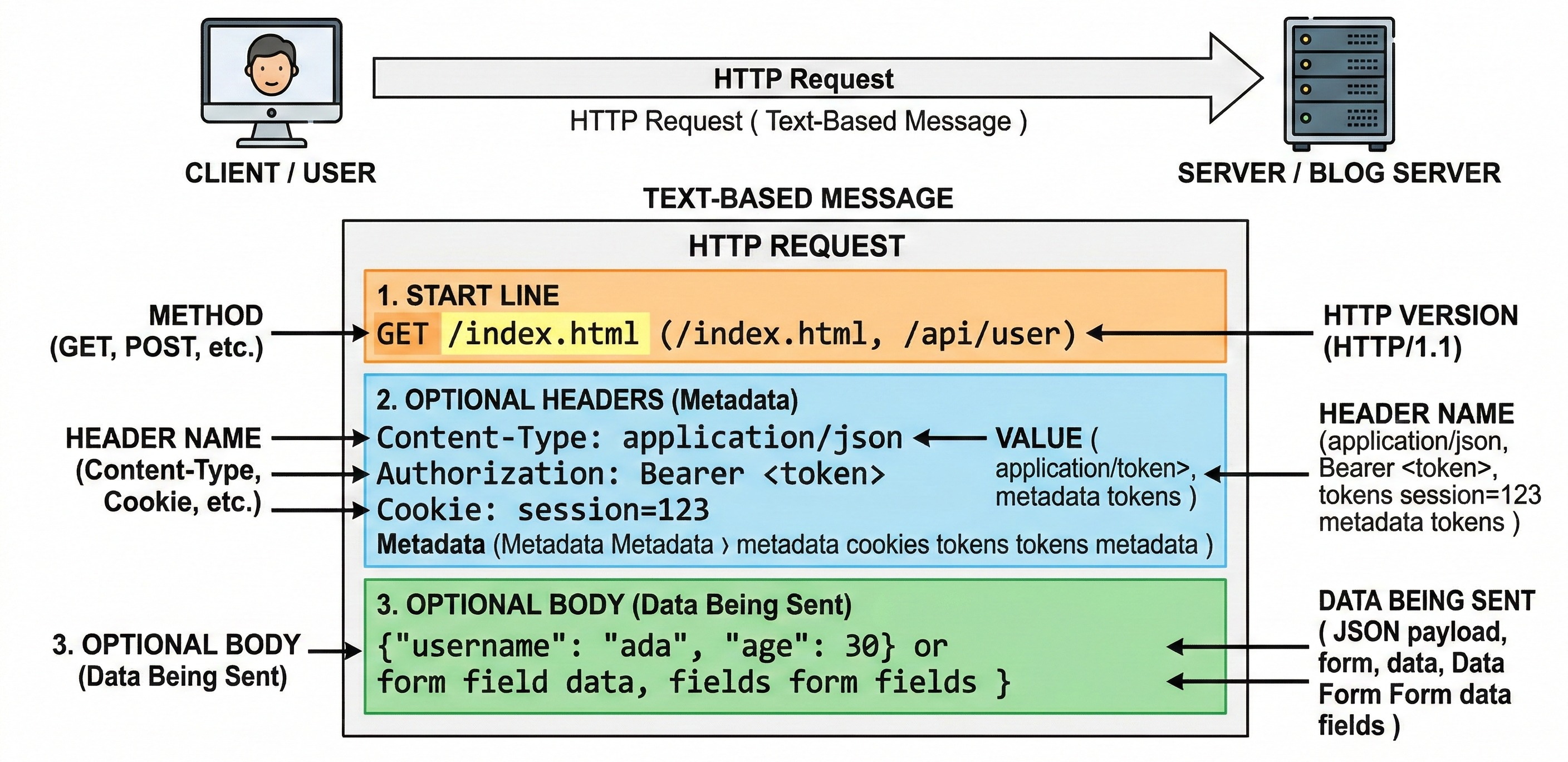
For example, submitting a form might send a POST request with form data in its body.
After the request message is assembled, the browser needs to send it over the network.
First, it looks up the website’s server IP address via DNS (Domain Name System), which we cover next. Then the browser opens a network connection (usually TCP) to that IP and port (typically port 80 for HTTP or 443 for HTTPS).
Once the connection is ready, the browser transmits the HTTP request message to the server.
In summary, this step transforms your click into an official web request. The key point is that the browser packages what you want (for example, “create a new user with this data”) into a properly formatted HTTP request and sends it toward the target server.
2. DNS and Domain Resolution
Before the request can reach the server, the browser must translate the domain name (like www.example.com) to an IP address.
This is done by the Domain Name System (DNS), which is essentially the Internet’s address book.
When you type a website address or click a link, the browser asks a DNS server: “What is the IP address for this domain?” DNS answers with an IP address like 192.0.2.44.
This lookup happens very quickly and usually involves several DNS servers behind the scenes, but it is transparent to the user.
Once the browser has the IP address, it knows which server on the Internet to contact.
The DNS process ensures that a human-friendly name is routed to the correct machine on the network. Only after DNS resolution does the HTTP request travel over the Internet to the right destination.
3. Reaching the Server: Load Balancers and Reverse Proxies
For a simple site with one server, the request could go directly to that machine.
But real-world services often have many servers to handle millions of requests. Directing traffic to these servers is the job of a load balancer or reverse proxy.
A load balancer sits between the client and a group of servers. Its job is to distribute incoming requests evenly among the servers so no single machine gets overwhelmed.
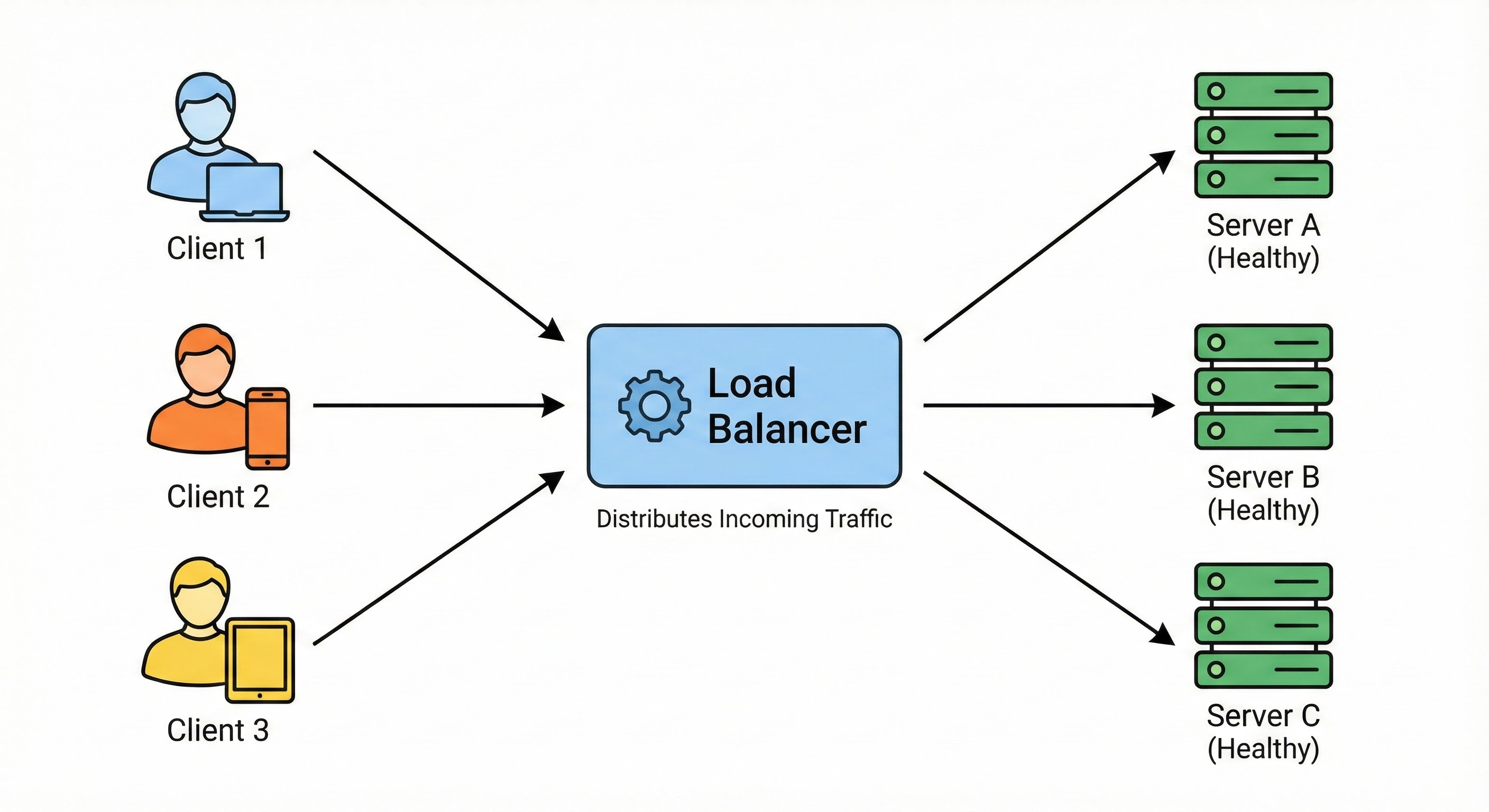
This improves availability and performance: if one server is busy or down, the load balancer sends new requests to other healthy servers.
Similarly, a reverse proxy (for example, Nginx or HAProxy) sits in front of web servers and forwards client requests to them.
Often, a reverse proxy also handles load balancing.
In effect, the reverse proxy receives the request on behalf of the servers, then passes it along to one of them.
Keep reading with a 7-day free trial
Subscribe to System Design Nuggets to keep reading this post and get 7 days of free access to the full post archives.