
What Interviewers Mean When They Say “Assume Scale”
Don't fail the system design interview. Learn how to "assume scale" by mastering Horizontal Scaling, Load Balancing, Database Sharding, Caching strategies, and Asynchronous Message Queues.

This blog covers:
Understanding physical hardware limitations
Moving from vertical to horizontal
Distributing traffic with load balancers
Optimizing storage and retrieval speed
Ensuring reliability through redundancy
A perfectly functional application often fails immediately when subjected to high traffic.
This phenomenon is one of the most common challenges in software engineering.
A developer writes code that works flawlessly on a local machine, but that same code becomes unresponsive or crashes entirely when thousands of concurrent requests hit the server.
This failure does not happen because the logic is incorrect. It happens because the architecture was not designed to handle volume.
The prompt to “assume scale” is a request to solve this specific problem. It asks for a shift in perspective from checking if the code works to ensuring the system survives.
The Physical Limits of Hardware
To understand scale, you must first understand why systems fail. Every piece of software runs on physical hardware. This hardware has finite limits that cannot be negotiated.
A central processing unit (CPU) can only execute a specific number of instructions per second. Random access memory (RAM) has a fixed capacity for holding temporary data.
A hard drive has a maximum speed at which it can write or read information.
When an application is designed for a single server, it operates within these boundaries.
If the application receives a few requests per second, the hardware handles them easily. However, as the user base grows, the number of requests increases. Eventually, the demand exceeds the physical capacity of the machine.
The CPU reaches 100% utilization and freezes. The memory fills up, causing the operating system to reject new tasks.
The network interface becomes saturated, dropping data packets. “Assuming scale” means accepting that a single machine will inevitably fail. It requires a design strategy that moves beyond the limitations of one computer and utilizes a network of computers working together.
Vertical Scaling versus Horizontal Scaling
When a system reaches its limit, there are two primary ways to increase capacity.
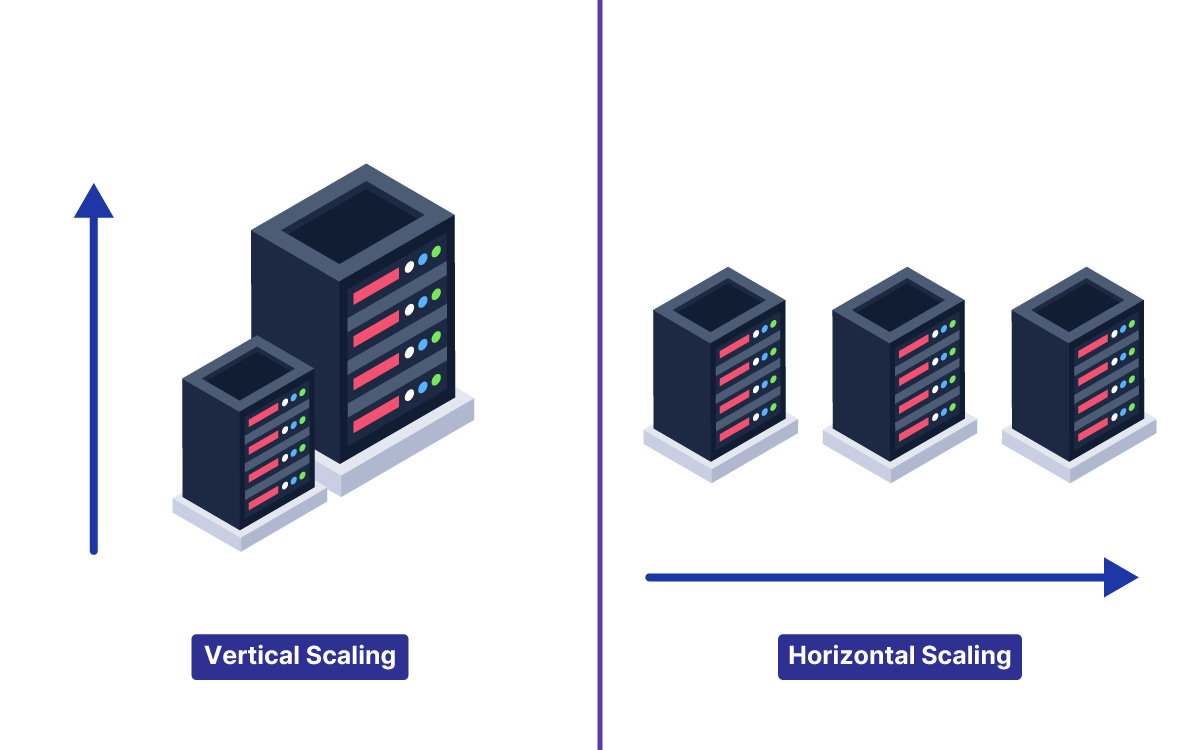
Vertical Scaling
The first method is to upgrade the existing hardware. This is known as Vertical Scaling.
If the server runs out of memory, the memory is increased.
If the processor is too slow, it is replaced with a faster model.
This approach is attractive because it does not require changing the software. The code remains the same, but it runs on a more powerful machine. However, vertical scaling has a distinct ceiling. There is a physical limit to how much RAM or how many processor cores can fit into a single server.
Additionally, the cost of high-end hardware rises exponentially.
Eventually, it becomes impossible to buy a machine powerful enough to handle the workload.
Horizontal Scaling
The second method is to add more machines. This is known as Horizontal Scaling.
Instead of upgrading one server, the system uses multiple standard servers running in parallel.
If one server can handle 500 users, ten servers can handle 5,000 users.
This method theoretically allows for infinite growth.
If traffic increases, more servers are added to the pool. This approach is the standard for large-scale systems. However, it introduces complexity.
The software must be designed to run across multiple machines that do not share memory or file storage.
Distributing Traffic with Load Balancers
Moving to a horizontal scaling model creates a routing problem.
When there is only one server, the user connects directly to it.
When there are ten servers, the user needs a way to connect to the correct one. It is not practical to give users ten different web addresses.
The solution is a component called a Load Balancer.
A load balancer is a server that sits between the users and the application servers. It acts as a reverse proxy, meaning it accepts requests on behalf of the servers. When a user sends a request, it hits the load balancer first.
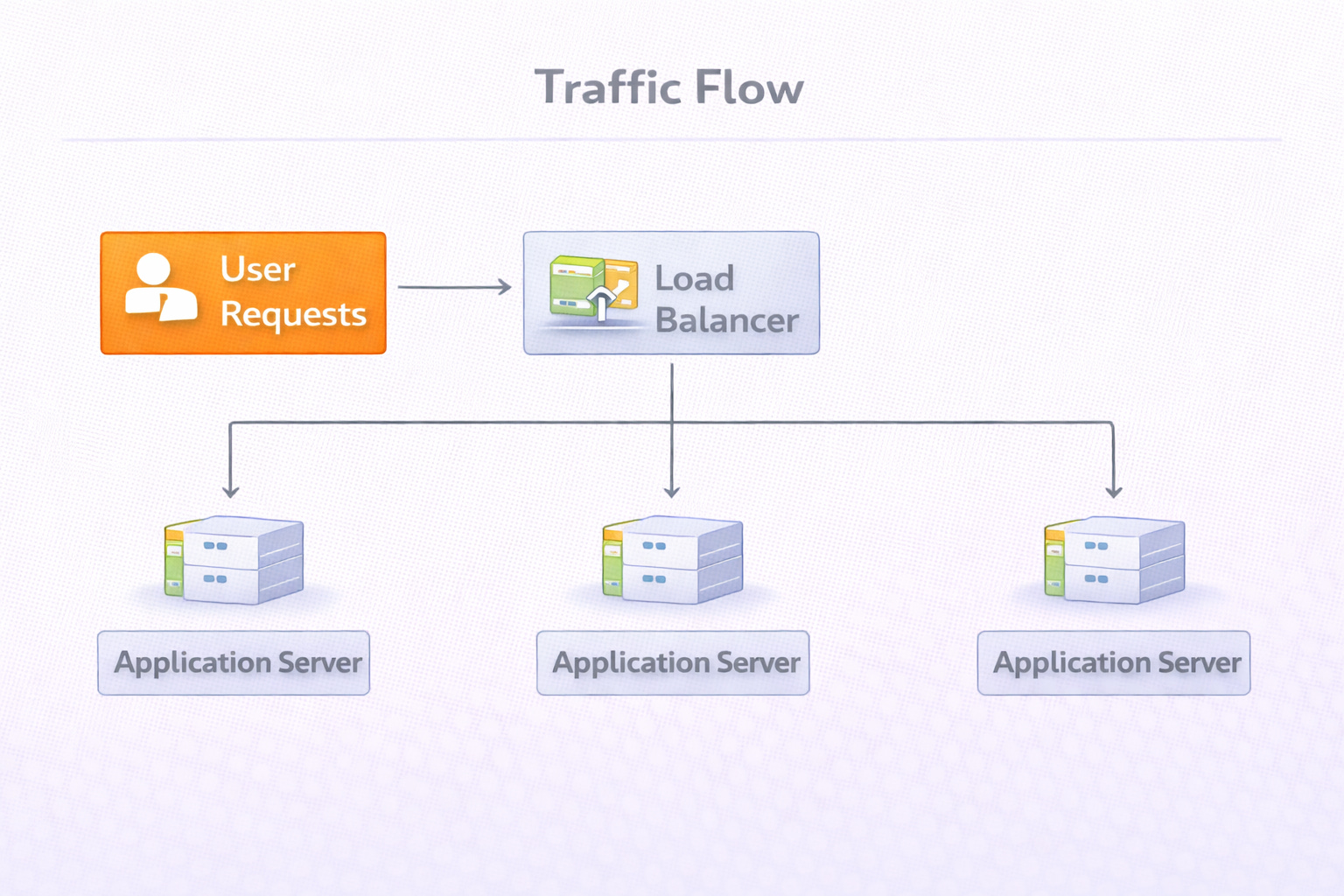
The load balancer then selects one of the available application servers and forwards the request to it.
This component performs several critical functions:
Traffic Distribution: It spreads the workload evenly across the server pool. This ensures that no single server is overwhelmed while others remain idle.
Health Checking: It continuously monitors the application servers. If a server crashes or stops responding, the load balancer detects the failure and stops sending traffic to that specific machine.
Seamless Experience: The user never knows which specific server they are communicating with. They simply see a responsive application.
The Database Bottleneck
Scaling the application logic is often easier than scaling the data. Application servers can be stateless, meaning they process a request and then forget about it. Databases, however, must maintain state. They must store data permanently and ensure it is accurate.
