
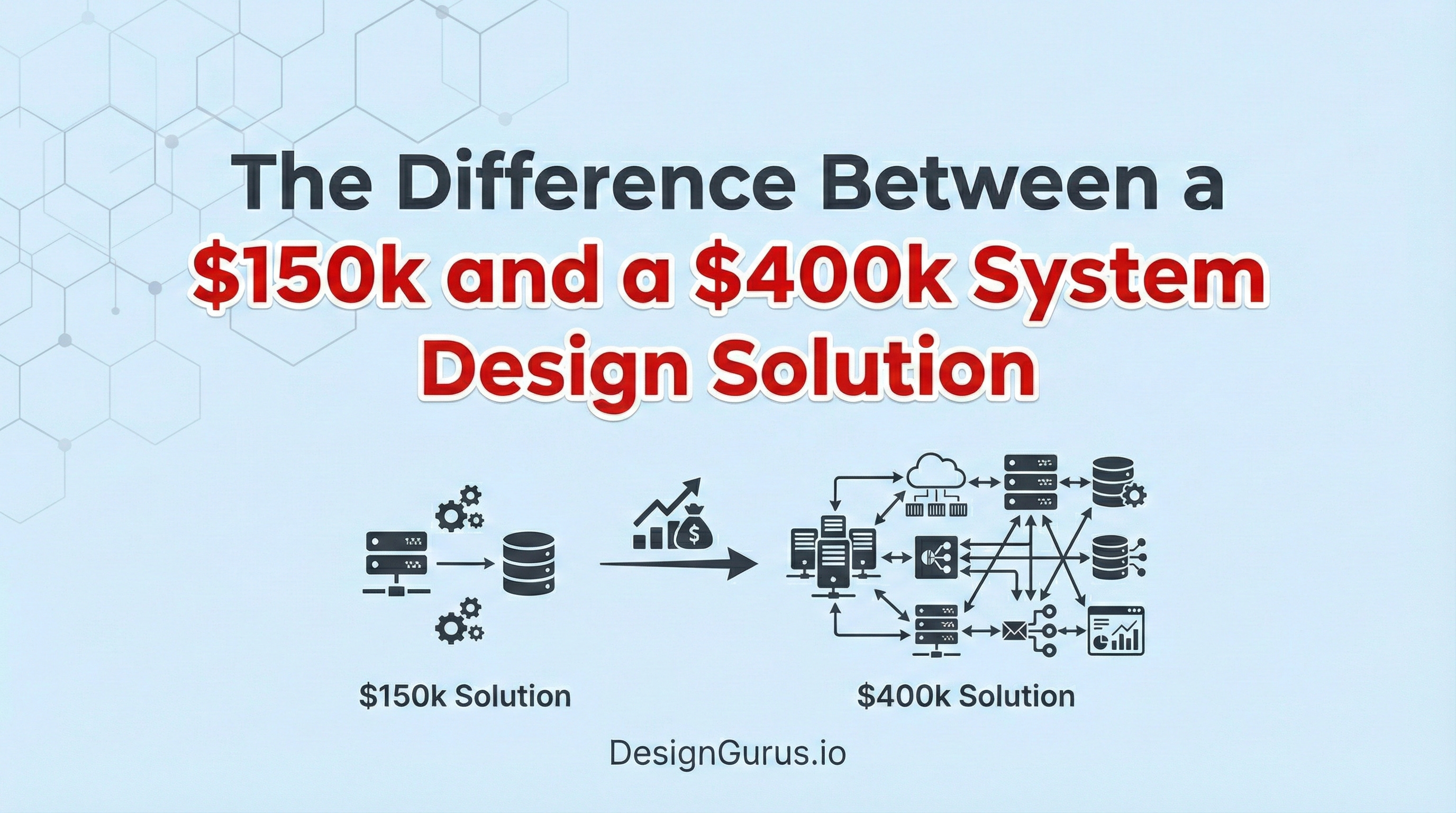
The Difference Between a $150k and a $400k System Design Solution
Discover the technical differences between basic software architecture and highly scalable distributed systems built by advanced software engineers.

A newly launched software application often functions perfectly during initial testing phases. The internal servers process data efficiently and return digital responses almost instantly.
However, a massive technical crisis occurs when the system suddenly receives millions of concurrent network requests. The baseline hardware quickly runs out of available memory, causing the entire platform to crash completely.
Understanding how to solve this exact computational bottleneck separates basic engineering from advanced system architecture.
A standard configuration works strictly under ideal conditions with very low digital stress. A premium configuration survives massive scale and guarantees continuous software uptime. Mastering these advanced architectural concepts marks the distinct difference between standard development and highly compensated technical strategy.
The Limitations of Basic Architecture
The Single Server Setup
Every software application requires a foundation of physical hardware to execute code.
A standard development setup involves placing the web server and the database on one single physical machine. We technically call this specific approach a Monolithic Architecture.
All internal software components share the exact same physical computer resources.
The Hardware Breaking Point
A physical computer only contains a finite amount of processing power and internal memory. Every incoming network request consumes a tiny fraction of these available hardware resources. When thousands of requests arrive simultaneously, the server exhausts its physical memory completely.
Once the memory is entirely full, the server simply stops accepting new network connections.
Active connections begin to time out, and the active software processes freeze completely. The entire application goes offline because the single server collapsed under the heavy workload.
We call this specific vulnerability a Single Point of Failure.
A single point of failure means that one broken component destroys the entire system.
The Flaw of Vertical Scaling
The most basic solution to this hardware problem is called Vertical Scaling.
Vertical scaling means turning off the machine and installing faster processors and larger memory chips. This provides a very quick temporary fix for growing network traffic. However, hardware upgrades eventually hit an absolute physical limit.
No single computer motherboard can hold an infinite amount of memory or processing chips.
Furthermore, upgrading a single machine does not remove the underlying architectural risk. The application still relies entirely on one distinct computer to function.
If that specific machine loses power, the entire software platform still goes offline instantly.
Distributing the Computing Workload
Moving to Horizontal Scaling
Advanced system design requires a completely different approach to processing digital data. We call the solution to infinite scaling Horizontal Scaling.
Horizontal scaling involves adding multiple independent web servers to the existing network architecture. Instead of relying on one massive computer, we utilize many smaller computers to build the architecture.
This multi-server setup completely changes how the software handles incoming data traffic. All the independent web servers contain the exact same application code. They all run simultaneously and wait for incoming network connections to arrive.
If one web server experiences a catastrophic hardware failure, the system remains perfectly stable.
The other active web servers simply take over the computing workload without interruption.
This fundamentally eliminates the risk of a single server bringing down the platform.
Routing Traffic with Load Balancers
Adding multiple web servers introduces a brand new technical routing challenge. The incoming network traffic needs a way to decide which web server it should connect to. The architecture requires a centralized digital gateway to distribute the data packets evenly.
We call this highly specialized routing component a Load Balancer.
A load balancer is a server that sits directly in front of the web servers. All incoming internet traffic hits this routing server first before reaching the application.
The load balancer maintains a constant list of all healthy web servers. When a request arrives, it uses a mathematical formula to select an available server.
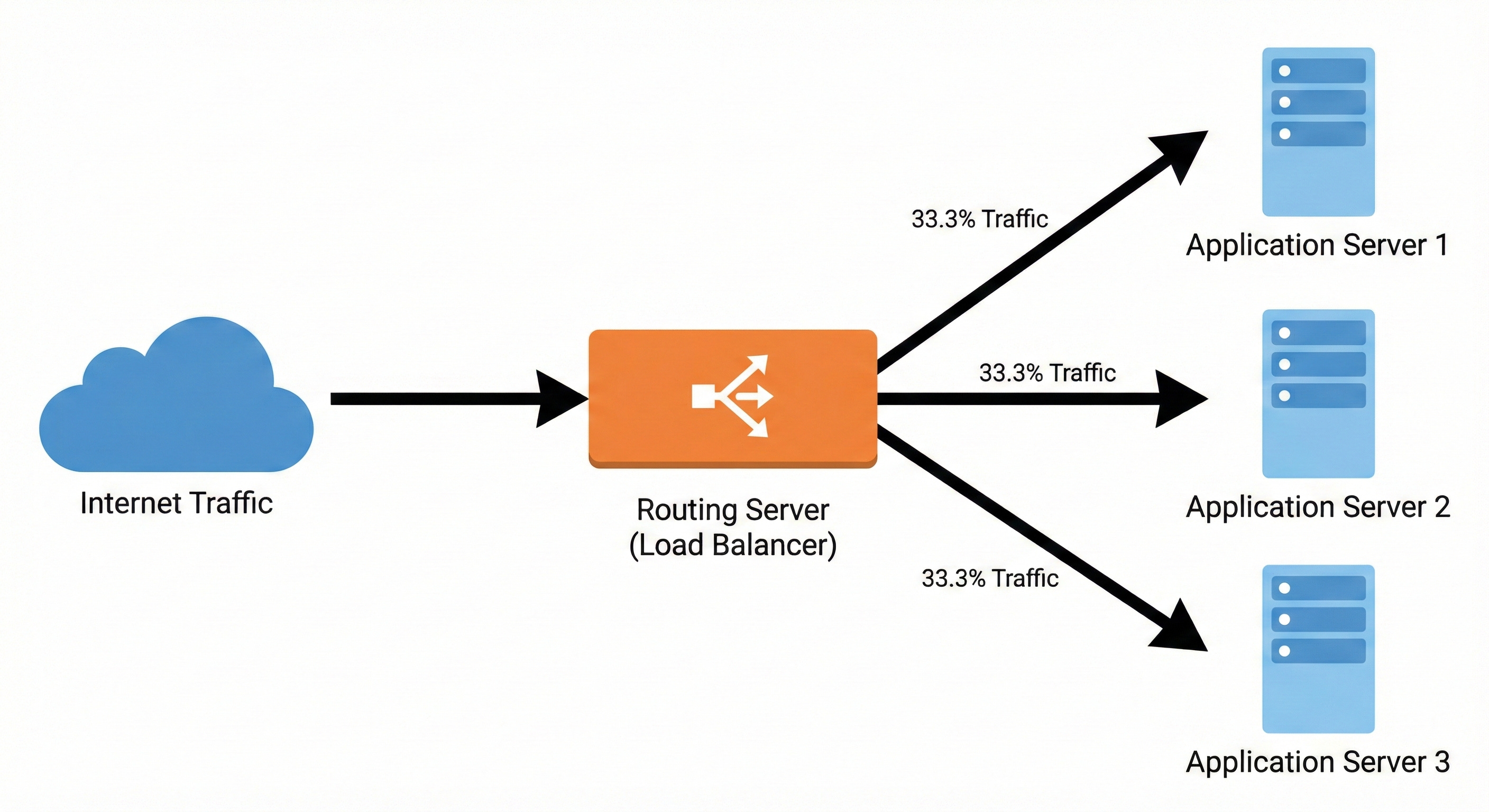
The load balancer then forwards the data packet strictly to that specific machine. Behind the scenes, the routing server constantly monitors the internal network. It sends automated diagnostic messages to verify every web server is responding correctly.
If a server stops responding, the routing component immediately stops sending it new network traffic.
Solving the Database Bottleneck
The Cost of Disk Operations
Distributing the computing workload solves the application server problem effectively. However, it creates a massive bottleneck deeper inside our internal system architecture.
All the newly added web servers must still connect to a single primary database. A standard database stores all its permanent information on a physical hard drive.
Writing data to a physical hard drive and reading data from it are mechanical processes. These physical processes are incredibly slow compared to executing code in the processor.
When ten web servers constantly ask the database for information, the hard drive becomes overwhelmed. The database creates a massive internal queue of pending read and write operations.
The entire platform slows down because the fast web servers must wait for the slow database. Adding more web servers does not help if the database cannot process the incoming queries. The architecture must reduce the severe computational workload on the physical hard drive.
Implementing Fast Memory Caching
Advanced architectures solve this specific problem by implementing a Cache.
A cache is a highly specialized storage layer that keeps data entirely in the system memory.
We technically refer to system memory as Random Access Memory.
Reading digital data from temporary memory is exponentially faster than reading from a spinning hard drive.
Keep reading with a 7-day free trial
Subscribe to System Design Nuggets to keep reading this post and get 7 days of free access to the full post archives.