
System Design Basics: Numbers Every Engineer Must Memorize
Why does every system design decision come down to numbers? This post explains the latency, bandwidth, and availability figures you need to know by heart.

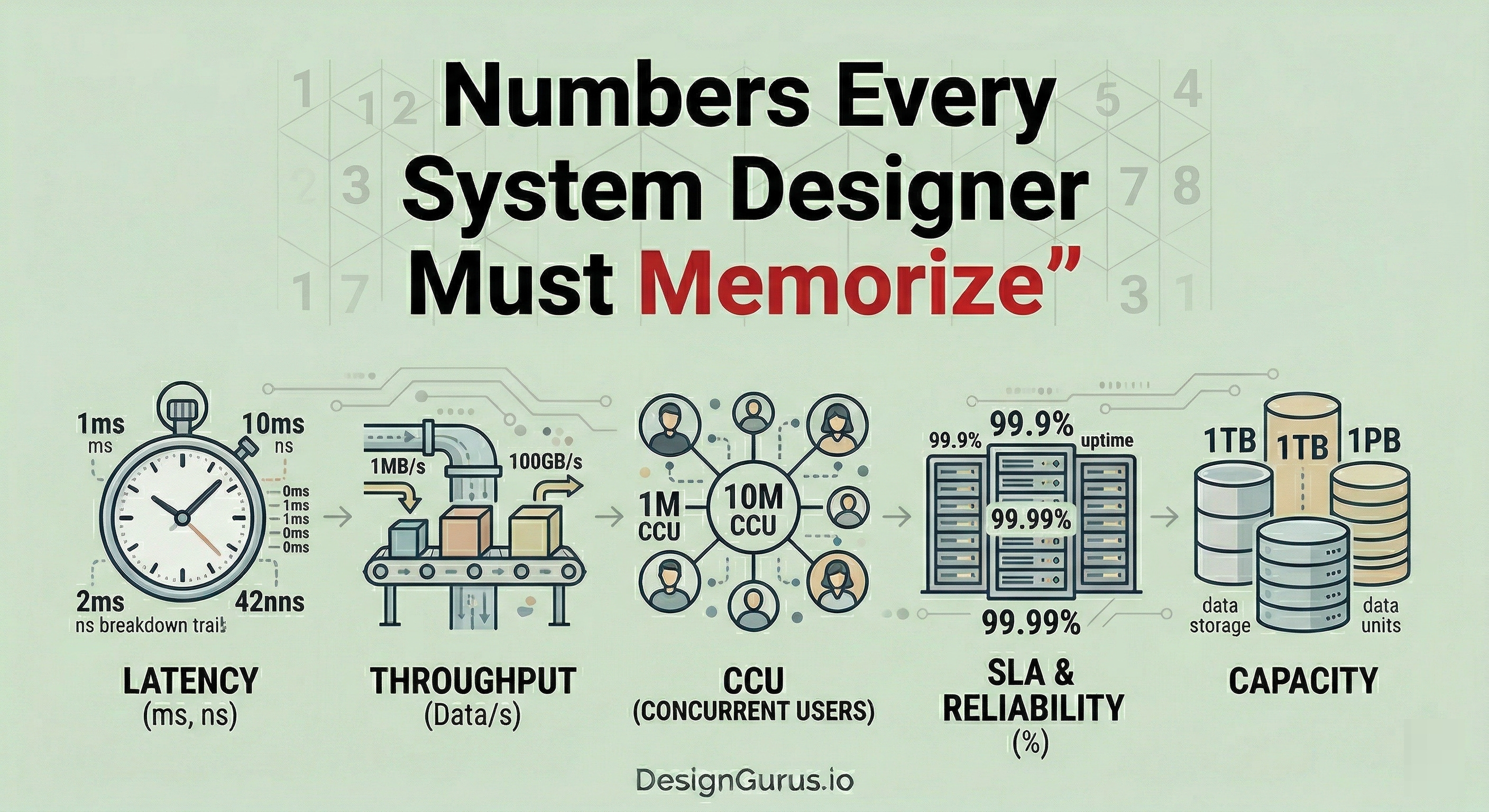
What This Blog Will Cover:
Latency numbers that matter most
Memory and storage speed tradeoffs
Network bandwidth and throughput basics
Availability math and the nine system
Back-of-the-envelope estimation shortcuts
Most system design conversations fall apart not because someone lacks creativity or architectural vision. They fall apart because someone throws out a number that makes no sense.
“We will store 10 petabytes in memory.”
“Our API will respond in 1 nanosecond.”
“We need 99.999999% uptime.”
These are the kinds of statements that make interviewers quietly close their notebooks.
The truth is, system design is not purely about drawing boxes and arrows on a whiteboard.
A huge part of it is about having an intuitive feel for scale.
How fast can you read from disk?
How much data can you push through a network?
How long does a round trip to another continent take?
If you do not have rough answers to these questions sitting in your head, you are basically designing systems blindfolded.
These numbers are not something you derive from first principles each time. You memorize them. You internalize them.
And then, when someone asks you to design a URL shortener or a chat application, you can make smart decisions quickly without second-guessing every assumption.
Why These Numbers Matter So Much
Here is the thing that trips up a lot of people early in their careers. They think system design is about knowing which database to pick or whether to use REST or gRPC.
And sure, those decisions matter.
But the reasoning behind those decisions almost always comes down to numbers.
When you know that reading 1 MB sequentially from an SSD takes about 1 millisecond, but reading the same amount from a spinning hard drive takes about 20 milliseconds, you start to understand why SSDs dominate modern infrastructure.
When you know that a packet round trip within a data center takes about 500 microseconds, but a round trip from California to the Netherlands takes about 150 milliseconds, you suddenly understand why companies build data centers on multiple continents.
Numbers give you the “why” behind every architectural choice.
Without them, you are just guessing.
The Latency Numbers You Need to Know
Latency is the time it takes for something to happen.
In system design, latency is king. Almost every design decision you will ever make is influenced by how long certain operations take.
Here are the critical ones.
Do not try to memorize them to the exact nanosecond.
Round numbers are perfectly fine.
What matters is that you understand the order of magnitude, which means knowing whether something takes nanoseconds, microseconds, or milliseconds.
The Memory Tier
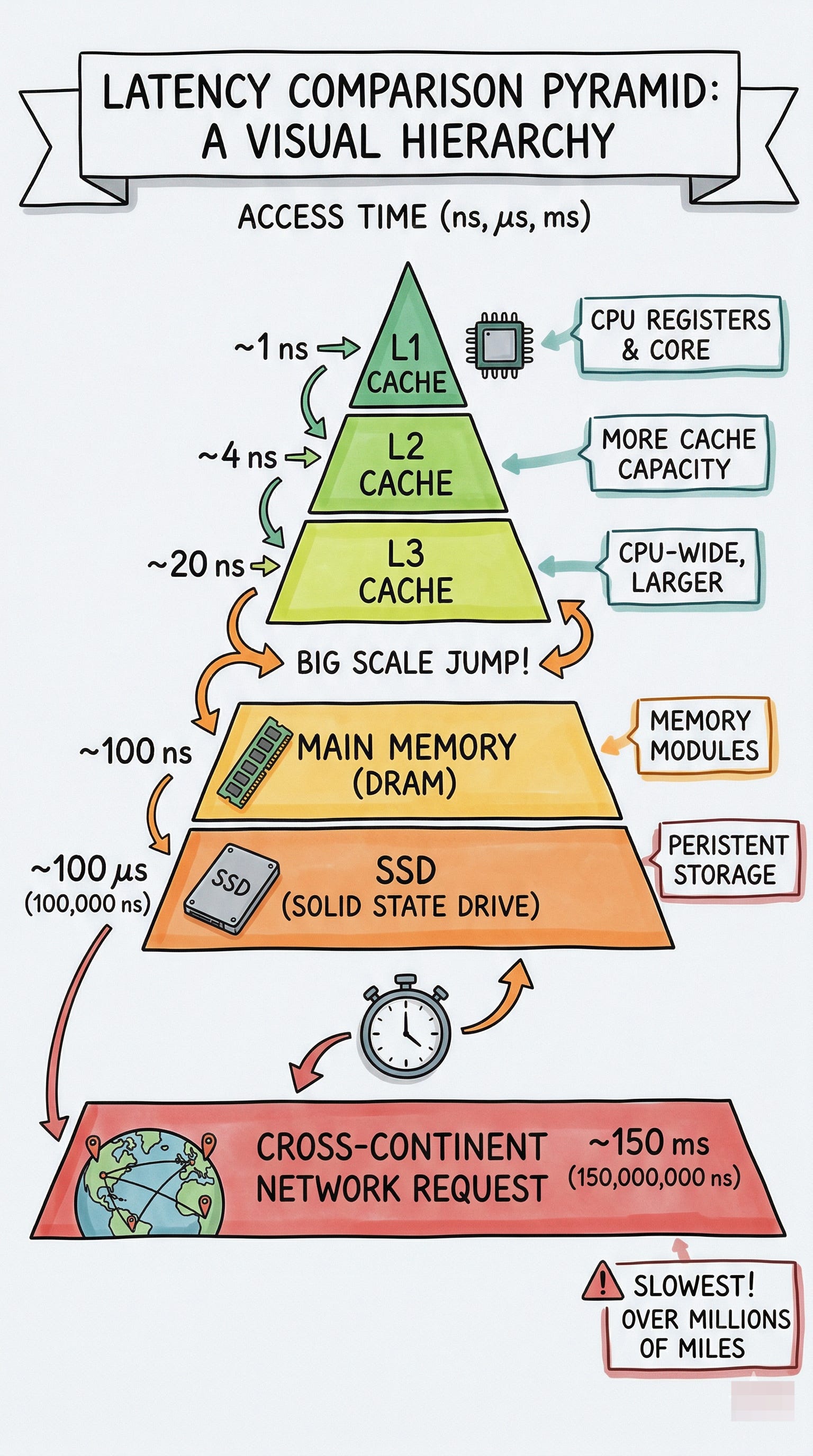
L1 cache reference: ~0.5 nanoseconds. This is the fastest memory your CPU can access. It sits right on the processor chip itself. When your program reads a variable it just used, it probably comes from here.
L2 cache reference: ~7 nanoseconds. Still on the chip, but a little further away. About 14 times slower than L1. Still incredibly fast.
Main memory (RAM) reference: ~100 nanoseconds. This is your regular system memory. It feels instant to a human, but to a CPU, going to RAM is roughly 200 times slower than hitting L1 cache. This is why caching strategies exist at every level of a system.
The Storage Tier
SSD random read: ~150 microseconds. Notice we jumped from nanoseconds to microseconds. That is a 1,000x difference in scale. An SSD random read is about 1,500 times slower than a RAM access. This is why people put hot data in memory caches like Redis or Memcached instead of reading from disk every single time.
HDD disk seek: ~10 milliseconds. Now we jumped from microseconds to milliseconds. A spinning hard drive needs to physically move a read head to the right spot on a spinning platter. That mechanical movement is painfully slow compared to everything else on this list. This is roughly 100,000 times slower than a RAM access.
Keep reading with a 7-day free trial
Subscribe to System Design Nuggets to keep reading this post and get 7 days of free access to the full post archives.