
From HTTP to HTTPS: Encryption, Certificates, and Modern Web Security
HTTP vs HTTPS explained: learn how TLS encryption and certificates secure data, why browsers mark HTTP as unsafe, and why HTTPS is now the default.

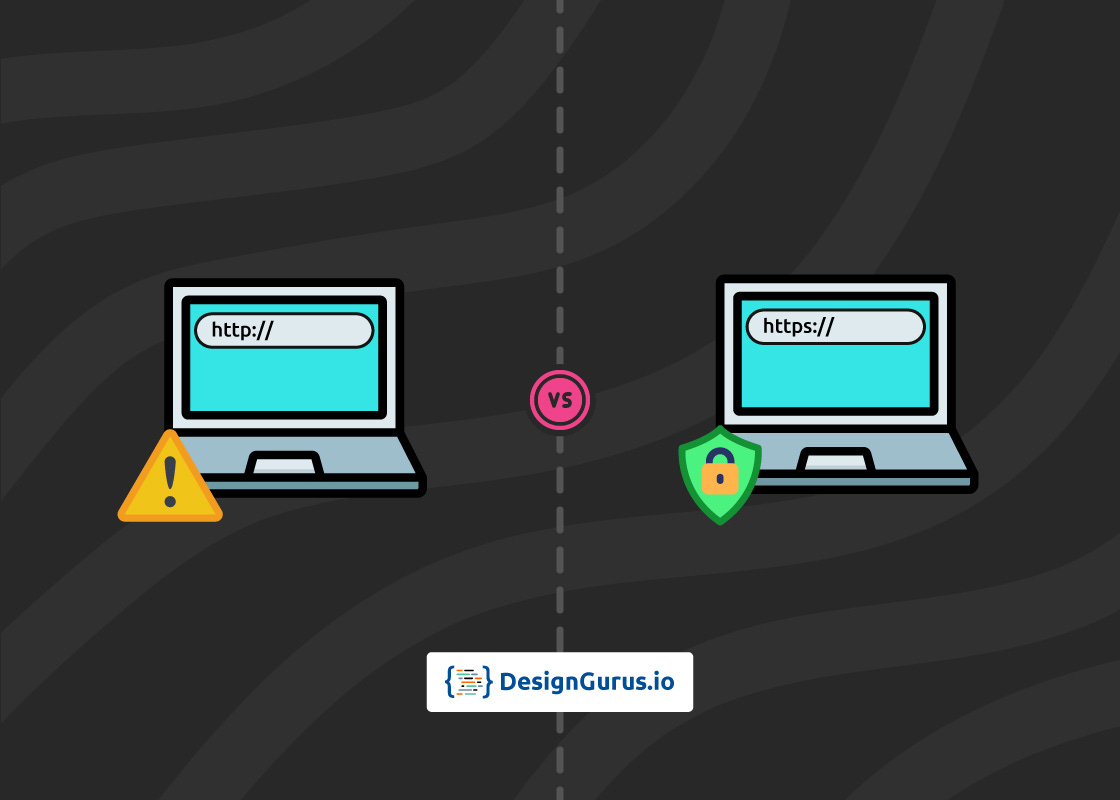
This blog compares HTTP vs HTTPS and demystifies how secure HTTP works. It also explores the differences between HTTP and HTTPS, how TLS encryption and certificates keep your data safe, and why HTTPS has become the default standard for websites today.
Imagine you’re sending a message.
Using HTTP is like writing it on a postcard – anyone who handles it can read its contents.
In contrast, HTTPS is like sealing that message in an envelope and locking it with a key that only you and the recipient have.
In other words, HTTP transfers data in plain text, whereas HTTPS wraps it in a secure, encrypted layer.
If you’ve ever noticed the padlock icon in your browser’s address bar, that’s HTTPS at work, quietly protecting your information.
Today, securing data in transit isn’t optional – it’s essential.
Web browsers like Chrome now flag any standard HTTP site as “Not Secure,” scaring off users (for good reason!).
So how did we get here?
Let’s break down what HTTP and HTTPS are, how HTTPS actually secures your data using TLS encryption and certificate authentication, and why modern websites all default to HTTPS.
What is HTTP?
HTTP (Hypertext Transfer Protocol) is the foundational communication protocol of the web. It defines how browsers and web servers communicate and exchange data.
When you load a webpage via HTTP, your browser sends an HTTP request (like “GET /index.html”) to the server, and the server responds with an HTTP response (like the HTML of the page).
Importantly, HTTP by itself does not encrypt the data being sent or received.
All information travels as plaintext.
This means any data – your form inputs, the page content, even passwords if sent via HTTP – can potentially be intercepted and read by others on the network. It’s akin to broadcasting your message in the clear or, as mentioned, sending a readable postcard.
In the early days of the web, this was the norm.
The downside of HTTP’s simplicity is lack of security.
Because the data isn’t encrypted, attackers could perform man-in-the-middle (MITM) attacks – eavesdropping on your connection or even injecting malicious content into an HTTP page.
For example, on public Wi-Fi, someone could sniff your HTTP traffic and steal personal information or inject malware.
Clearly, sending sensitive information (like passwords or credit card numbers) over plain HTTP is risky. This is where HTTPS comes in to save the day.
What is HTTPS (Secure HTTP)?
HTTPS (Hypertext Transfer Protocol Secure) is essentially the secure version of HTTP. It uses encryption (via SSL/TLS) to protect the data in transit.
When you connect to a site with HTTPS, the URL begins with https:// and browsers by default use port 443 (instead of port 80 used by HTTP).
Under the hood, HTTPS is still the HTTP protocol for requests and responses, but with an added encryption layer in between.
In fact, “HTTPS” isn’t a completely separate protocol – it’s just HTTP communication over an encrypted TLS (Transport Layer Security) connection.
With HTTPS, all data exchanged between your browser and the web server is encrypted or “scrambled” so that no one in the middle can understand it.
If someone intercepts HTTPS traffic, all they’d see is gibberish, not the actual content of your messages. This prevents eavesdropping and tampering.
For instance, if you submit a password or credit card details over HTTPS, you can be confident that third parties can’t read or alter that information in transit.
Another crucial aspect of HTTPS is authentication via certificates.
HTTPS websites must present a digital certificate (SSL/TLS certificate) issued by a trusted Certificate Authority (CA) to verify their identity.
This certificate contains the site’s public encryption key and is like the website’s ID card.
Your browser will check that the certificate was issued by a legitimate CA and that it indeed matches the site you’re trying to reach. This helps ensure you’re connected to the real example.com and not an impostor.
In short, the certificate system prevents criminals from easily masquerading as legitimate websites.
How HTTPS Secures Your Data (TLS Encryption & Certificates)
So, how does HTTPS actually establish that secure, encrypted channel?
It all happens during the TLS handshake, which is a behind-the-scenes conversation your browser has with the server when you first connect over HTTPS:
Certificate Exchange: Your browser first says “Hi” to the server and asks for its TLS certificate. The server responds by sending over its certificate, which includes its public key. Your browser inspects this certificate – checking that it’s signed by a trusted Certificate Authority and that it hasn’t expired or been revoked. If everything looks good, the server’s identity is considered authenticated (the site is who it claims to be). If something’s wrong (e.g. a bad certificate), the browser will warn you or block the connection to prevent a potentially unsafe exchange.
Key Agreement: Once trust is established, your browser uses the server’s public key to encrypt a random session key (essentially a secret password for this session) and sends it to the server. Only the server can decrypt this message, because only the server has the corresponding private key. This step uses asymmetric encryption (public/private keys) to securely agree on a session key.
Encrypted Communication: The server decrypts the session key and both sides now have a shared secret key. From this point onward, all data flowing between the browser and server is encrypted symmetrically using that session key. This is fast and secure. Now any information you exchange – page requests, form data, API calls – is locked down. If someone intercepts the traffic, the encryption prevents them from reading or altering it.
In essence, HTTPS uses the strengths of both asymmetric and symmetric encryption: asymmetric (public/private keys) for the initial handshake and key exchange, and symmetric (shared key) encryption for the actual data transfer.
The result is a secure tunnel through which your data travels. The “S” in HTTPS truly earns its name: Secure.
HTTP vs HTTPS: Key Differences
Now that we know what each one is, let’s summarize the key differences between HTTP and HTTPS:
Data Encryption: HTTP sends data in plaintext with no encryption, making it vulnerable to interception. HTTPS encrypts all data using TLS, so information remains confidential and safe from eavesdroppers. This encryption also protects data integrity – no tampering in transit.
Authentication: HTTP has no built-in mechanism to verify the server’s identity. HTTPS uses SSL/TLS certificates issued by trusted authorities to authenticate the website’s identity. This prevents man-in-the-middle attacks where an impostor site pretends to be the real one.
Port and URL Scheme: HTTP URLs start with http:// and typically use port 80 by default. HTTPS URLs start with https:// and use port 443 by default. Modern browsers will often try HTTPS first, and many sites automatically redirect http to https.
Browser Indicators: Browsers visibly mark the difference. With HTTP, browsers may show a “Not Secure” warning next to the address – a glaring reminder that the connection isn’t safe. With HTTPS, you’ll see a padlock icon in the address bar, indicating the connection is secure. Some browsers even highlight the company name for advanced certificates. These cues influence user trust heavily.
Security & Privacy: HTTP is susceptible to man-in-the-middle attacks, data theft, and content injection (attackers can modify what you see on a webpage). HTTPS is designed to resist such attacks and protect both privacy and integrity. It’s especially crucial on open networks like coffee shop Wi-Fi, where HTTP is an open door to snoopers.
Performance: In the past, encryption added some overhead, but today HTTPS can be faster than HTTP in practice. Why? HTTPS enables newer web protocols like HTTP/2 and HTTP/3 that come with performance enhancements (like multiplexing and header compression) to load pages more quickly. Major browsers only support HTTP/2+ over HTTPS, not over plain HTTP. So if your site is stuck on HTTP, you’re missing out on these speed upgrades.
SEO and Ranking: Search engines (like Google) favor HTTPS websites. All else being equal, an HTTPS site will rank higher than an HTTP one because it’s seen as more trustworthy. In fact, Google announced way back in 2014 that switching from HTTP to HTTPS gives sites a small ranking boost. Moreover, referral data is preserved more reliably with HTTPS – analytics can properly identify traffic sources, whereas HTTP might lose that information. If you care about SEO, HTTPS is a must.
In summary, HTTP might be fine for serving non-sensitive content on an intranet or testing environment, but on the open Internet, it’s considered outdated and insecure.
HTTPS offers encryption, trust, and improved performance, which is why it has become the standard.
Why HTTPS Is the Default Today
Not long ago, HTTPS was used mainly for shopping carts, logins, and banks – places where sensitive data needed protection.
Now, HTTPS is everywhere.
So what changed, and why is HTTPS now the default for virtually all websites?
1. Security for Everyone
With growing concerns about privacy and surveillance, there’s a push to protect even the most basic web traffic.
Whether it’s a social media feed or a news site, encrypting content prevents malicious actors or nosy networks from profiling users or injecting content.
The mindset has shifted to “encrypt everything by default.”
As the Electronic Frontier Foundation put it, “In an ideal world, every web request could be defaulted to HTTPS.”
They even created a browser extension called HTTPS Everywhere to enforce HTTPS on many sites.
Browser vendors got the memo too: Firefox and Chrome now offer settings to always use HTTPS when possible, reflecting a belief that the web should be secure by default.
2. Browser Warnings & User Trust
Modern browsers actively discourage HTTP.
If your site is not HTTPS, users will see warnings that it’s not secure, which can be alarming.
For example, Chrome (since 2018) marks all HTTP sites as “Not Secure” in the address bar. This has effectively made HTTP usage a bad user experience.
Users are now trained to look for the padlock and avoid sites without it.
No website owner wants to scare away visitors with a security warning on their site! Thus, moving to HTTPS is necessary to maintain user trust.
3. SEO Benefits
As mentioned, Google and other search engines reward HTTPS sites with better ranking potential. They want to promote a safer web, so they’ve made HTTPS a lightweight ranking signal.
If two sites have similar content quality, the one with HTTPS may rank higher.
Furthermore, Google’s Chrome team has indicated that HTTPS is critical for features like progressive web apps and advanced web APIs.
In short, if you care about discoverability and modern web capabilities, HTTPS is the way to go.
4. Performance Improvements
The adoption of HTTPS has unlocked performance features (HTTP/2, HTTP/3) that simply aren’t available over plain HTTP.
Sites on HTTPS can leverage faster page loads and better efficiency, which is good for user experience and SEO (since page speed is a ranking factor too).
The old concern that “HTTPS is slow” no longer holds true – optimizations and hardware advancements have largely negated the overhead.
In many cases, HTTPS sites now load faster than their HTTP counterparts, thanks to these new protocols.
5. It’s Easier (and Cheaper) Than Ever
One of the historical barriers to “HTTPS everywhere” was cost and complexity.
Buying SSL certificates and renewing them annually used to be a hassle and expense. Not anymore! Certificate Authorities like Let’s Encrypt emerged to provide free TLS certificates to anyone.
Automation tools can obtain and renew these certificates with minimal effort.
As a result, there’s really no excuse – even a personal blog or small business site can get a free certificate in minutes.
Major hosting companies and cloud providers have integrated free certificate issuance (often using Let’s Encrypt under the hood) for their customers.
In 2025, enabling HTTPS is usually a one-click or one-command process. The cost barrier is gone, and the technical barrier is much lower. This ease of setup has massively driven HTTPS adoption across the web.
Considering all these factors, it’s clear why new websites default to HTTPS and many old websites have migrated.
Security, trust, SEO, performance, and ease of setup all favor HTTPS. In fact, we’ve reached a point where using HTTP is the exception, not the rule.
Unless there’s a very specific reason, running a site without HTTPS is like leaving your front door unlocked – it just invites trouble.
If you’re preparing for technical interviews or aiming to strengthen your system design fundamentals (including networking concepts like HTTP/HTTPS), check out these courses by DesignGurus.io: Grokking System Design Fundamentals and Grokking the System Design Interview.
They also offer a comprehensive System Design Interview Roadmap to guide you through mastering system design concepts. These resources can help you understand where protocols like HTTP/HTTPS fit into the bigger picture of system design and web architecture.
Conclusion
In today’s web, HTTPS has replaced HTTP as the standard because it protects data with TLS encryption, verifies websites with certificates, and ensures both privacy and trust.
Beyond security, it boosts SEO, performance, and user confidence—making it essential for every modern site.
For developers and interview prep, understanding this shift isn’t optional—it’s a core concept in system design and web fundamentals.
FAQs
Q1. What is the main difference between HTTP and HTTPS?
The main difference is that HTTP is unsecured while HTTPS is secure. HTTP sends data in plain text, so anyone intercepting the communication can read or modify it. HTTPS, on the other hand, encrypts the data using SSL/TLS, making it gibberish to eavesdroppers and protecting it from tampering. Additionally, HTTPS uses certificates to verify the identity of the website, which helps prevent impersonation attacks. In short, HTTP is open and vulnerable, whereas HTTPS is locked down and trustworthy.
Q2. Why is HTTPS important even for sites that don’t handle sensitive data?
Modern best practice is to use HTTPS for every website, even if it doesn’t handle passwords or payments. Firstly, browsers will mark any HTTP site as “Not Secure,” which can undermine user confidence. Secondly, HTTPS protects all kinds of traffic (even a basic blog) from being spied on or altered by third parties – important for user privacy and preventing malicious content injection. There are also practical benefits: HTTPS is required for new web technologies and gives sites a boost in search rankings. With free tools available to implement HTTPS easily, there’s no reason not to use it.
Q3. How does HTTPS encryption actually work to secure the connection?
HTTPS security is achieved through the TLS handshake and encryption process. When you connect to an HTTPS site, your browser and the server perform a handshake where they do three key things: (1) The server presents an SSL/TLS certificate to prove its identity (like an ID card for the website). (2) They then use public-key cryptography to agree on a secret session key – your browser encrypts a random key with the server’s public key, and the server decrypts it with its private key. (3) Both sides now share this secret session key and use it to encrypt all data going back and forth. This means any information exchanged (page content, form data, API calls) is scrambled with strong encryption. If someone intercepts the traffic, they can’t read anything meaningful. This combination of verified identity (certificates) and encrypted communication (TLS encryption) is what makes HTTPS secure.
System Design Nuggets is a reader-supported publication. To receive new posts and support my work, consider becoming a free or paid subscriber.