
Designing a Notification Service in 45 Minutes: System Design Interview Guide
A complete step-by-step system design walkthrough for building a scalable notification platform. Covers APIs, queues, prioritization, retries, user preferences, and third-party integrations.

1. Problem definition
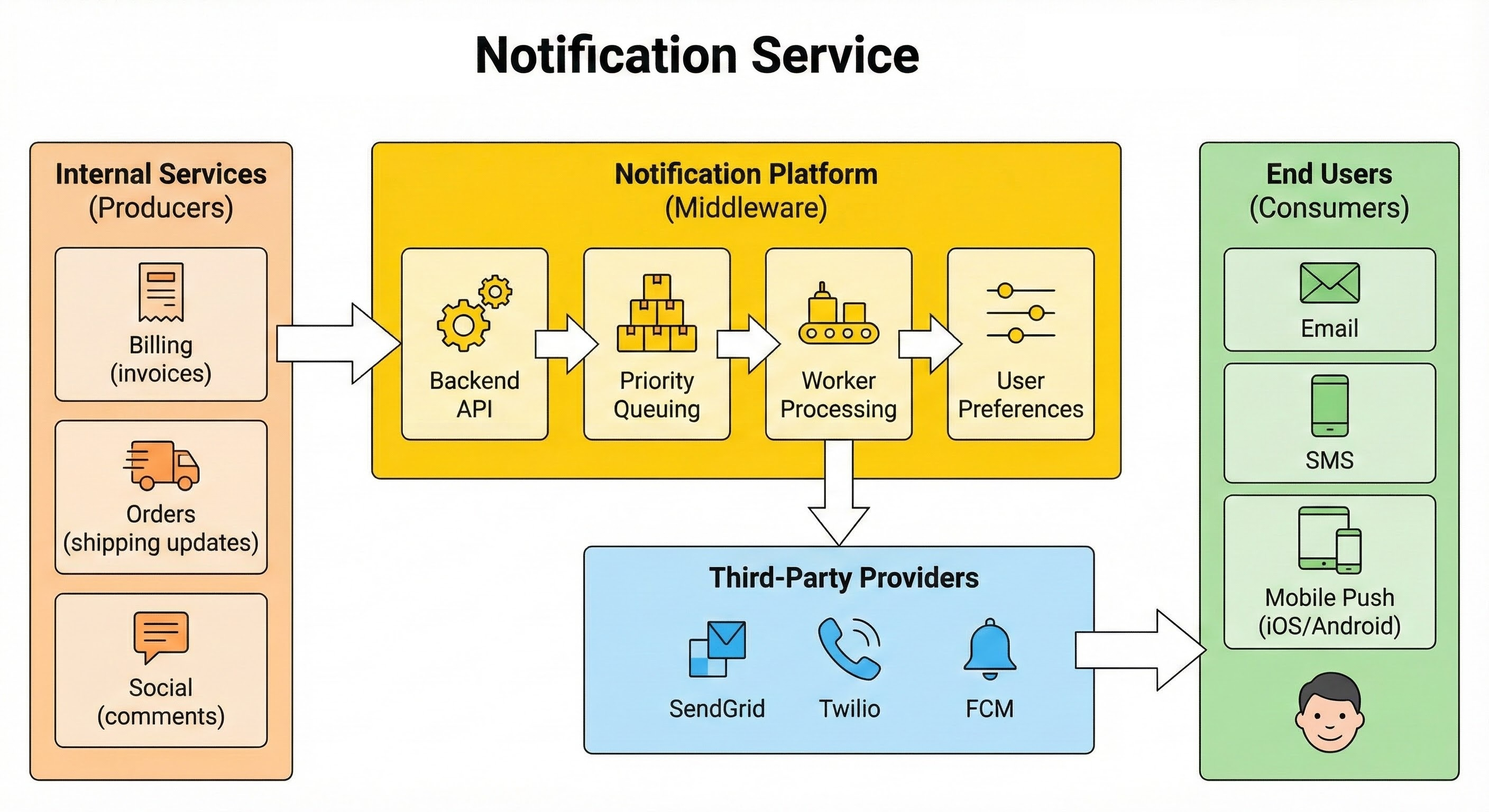
We are designing a centralized Notification Platform that acts as a middleware between multiple internal services (producers) and end users (subscribers). Its goal is to abstract the complexity of delivering messages via various channels and ensure reliability.
Main User Groups:
Internal Services (Producers): Applications like Billing (invoices), Orders (shipping updates), or Social (comments) that trigger alerts.
End Users (Consumers): The recipients of the notifications on their devices.
Scope:
We will cover the backend API, priority queuing, worker processing, user preferences, and integration with third-party providers.
Channels: Email, SMS, and Mobile Push (iOS/Android).
Out of Scope: Client-side UI implementation and building the actual delivery gateways (we will use vendors like SendGrid, Twilio, FCM).
2. Clarify functional requirements
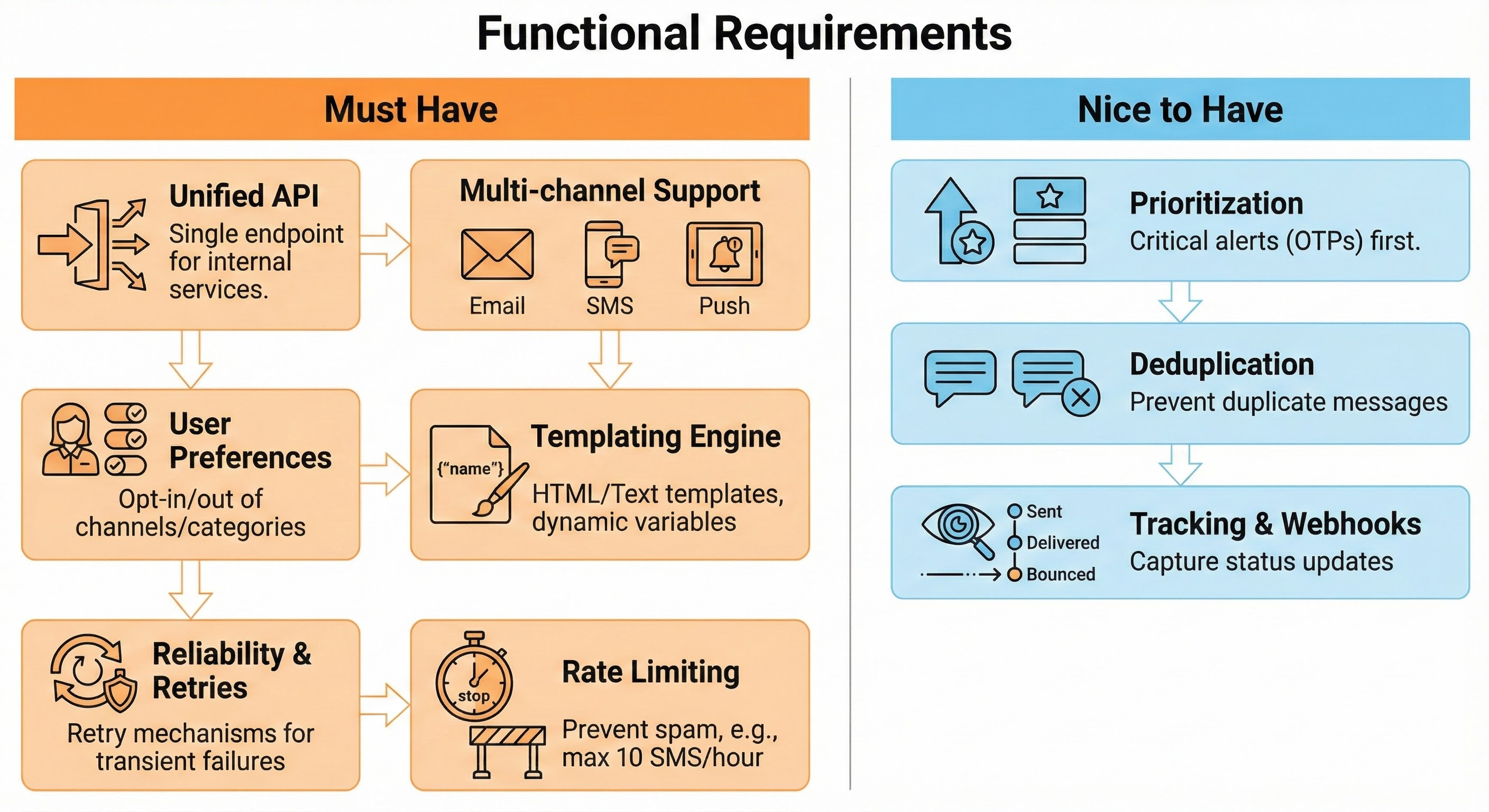
Must Have:
Unified API: A single endpoint for internal services to trigger messages without knowing channel specifics.
Multi-channel: Support for Email, SMS, and Push Notifications.
User Preferences: Users can opt in or out of specific channels (e.g., “No SMS”) or categories (e.g., “No Marketing”).
Templating: Support HTML/Text templates with dynamic variable insertion (e.g., “Hi {name}”).1
Reliability: Retry mechanisms for transient failures from providers.
Rate Limiting: Prevent a buggy service from spamming a user (e.g., max 10 SMS per hour).
Nice to Have:
Prioritization: Critical alerts (OTPs) must be processed before bulk marketing.
Deduplication: Prevent sending the same message twice in a short window.
Tracking: Capture status updates via webhooks (e.g., Sent, Delivered, Bounced).
3. Clarify non-functional requirements
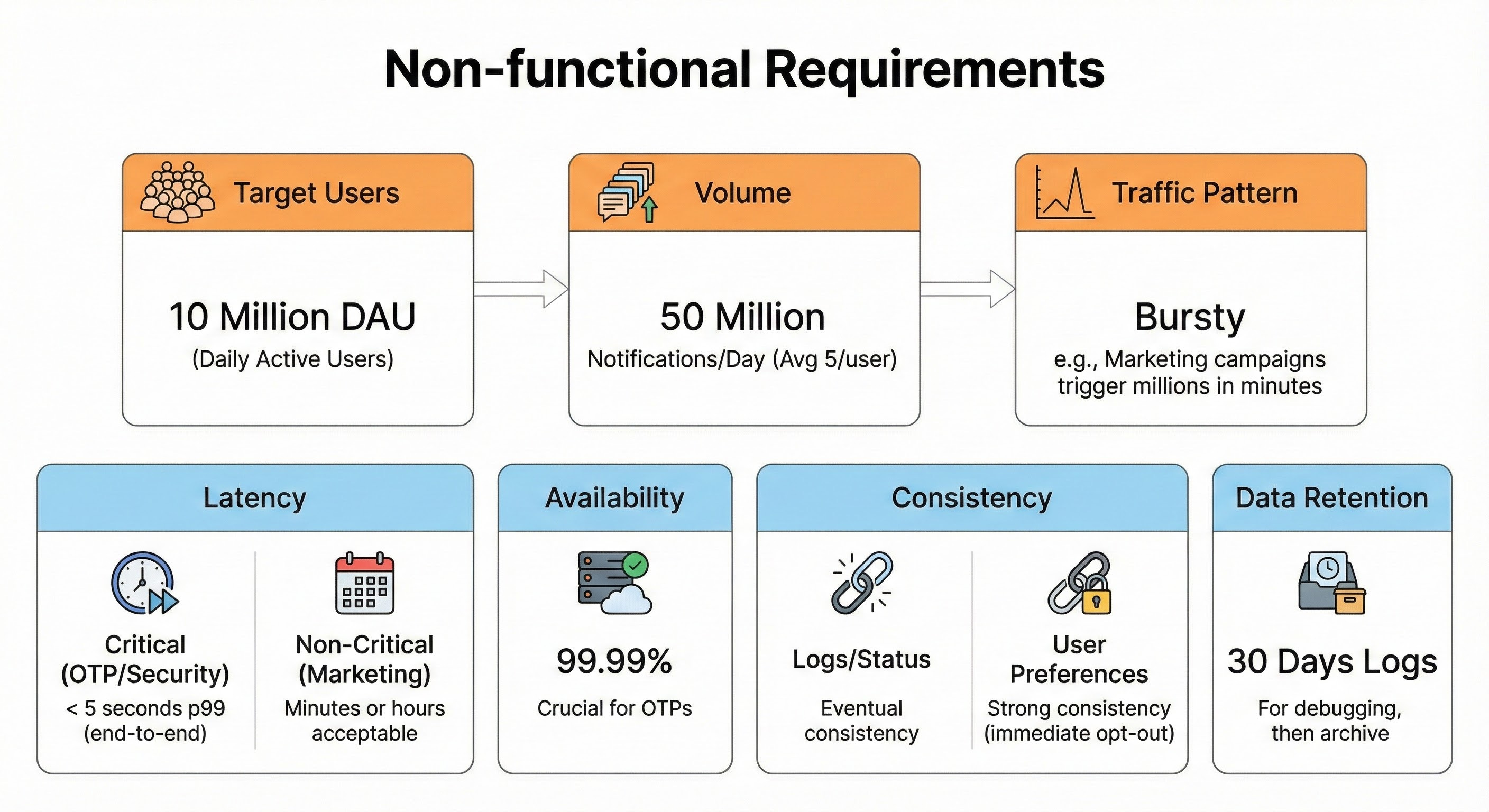
Target Users: 10 million Daily Active Users (DAU).
Volume: Average 5 notifications per user/day = 50 million notifications/day.
Traffic Pattern: Bursty. Marketing campaigns might trigger millions of messages in minutes.
Latency:
Critical (OTP/Security): < 5 seconds p99 (end-to-end).
Non-Critical (Marketing): Minutes or hours are acceptable.
Availability: 99.99%. If the system is down, users cannot log in (missing OTPs).
Consistency: Eventual consistency is acceptable for logs and status tracking. Strong consistency is required for user preferences (immediate opt-out).
Data Retention: Keep logs for 30 days for debugging, then archive.
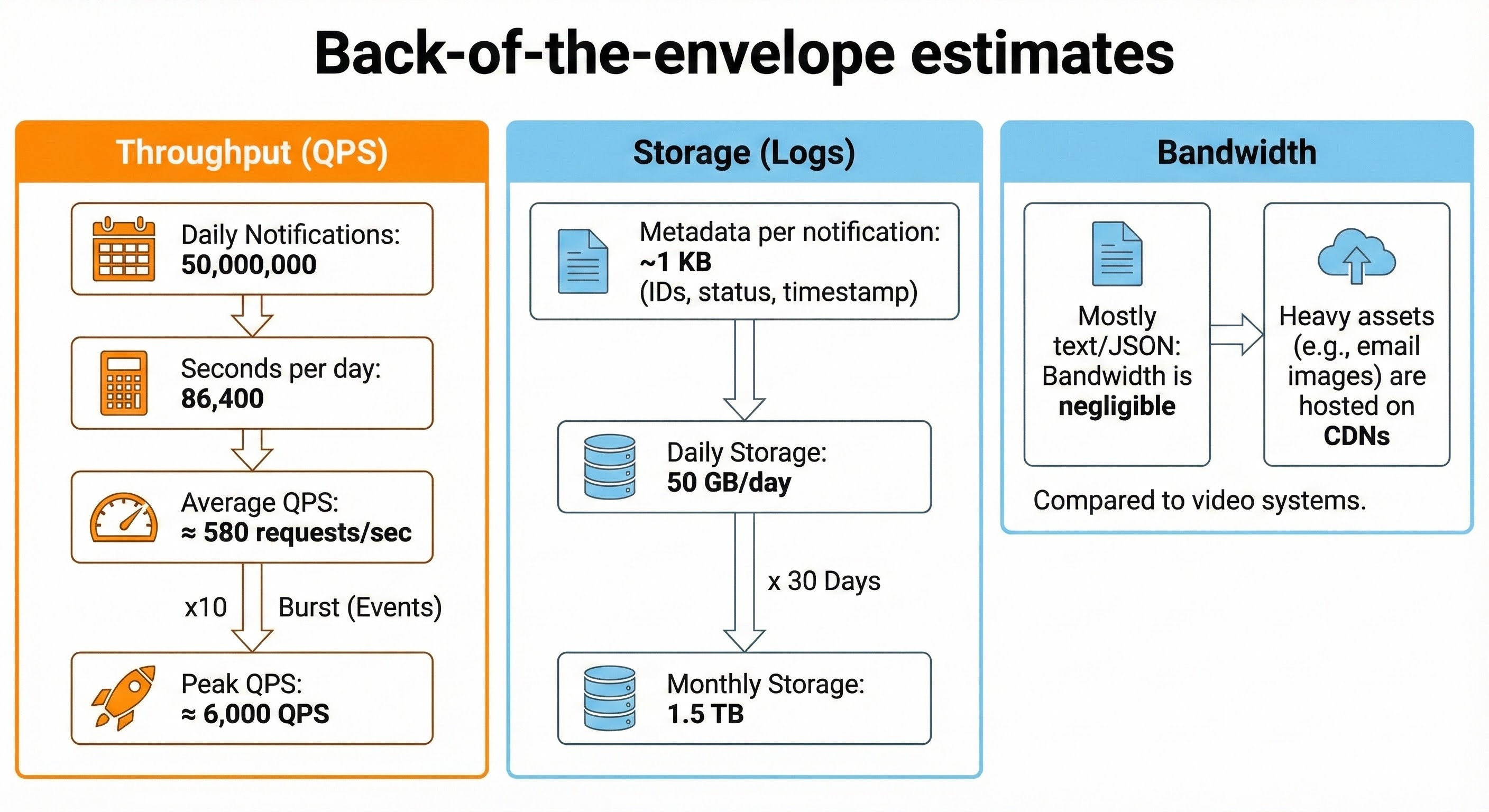
4. Back-of-the-envelope estimates
Throughput (QPS):
Daily Notifications: 50,000,000.
Seconds per day: 86,400.
Average QPS: 50,000,000 / 86,400 ≈ 580 requests/sec.
Peak QPS: Assume 10x burst during events. Peak ≈ 6,000 QPS.
Storage (Logs):
Metadata per notification (IDs, status, timestamp): ~1 KB.
Daily Storage: 50,000,000 * 1 KB = 50 GB/day.
Monthly Storage: 50 GB * 30 = 1.5 TB.
Bandwidth:
Mostly text/JSON. Bandwidth is negligible compared to video systems. Heavy assets (email images) are hosted on CDNs.
5. API design
We will expose a REST API for internal services.
1. Send Notification
Method:
POST /v1/notificationsRequest:
JSON
{
  “userId”: “u_12345”,
  “type”: “order_update”,
  “priority”: “high”, // or “low”
  “channels”: [”push”, “email”], // Optional overrides
  “templateId”: “tmpl_order_shipped”,
  “data”: {
    “orderId”: “999”,
    “trackingLink”: “https://...”
  },
  “idempotencyKey”: “uuid_gen_123”
}
Response:
202 Accepted{ “notificationId”: “n_98765”, “status”: “queued” }Error:
429 Too Many Requests(if service quota exceeded).
2. Update Preferences
Method:
PUT /v1/users/{userId}/preferencesRequest:
{”marketing”: {”email”: false, “sms”: false}}Response:
200 OK
3. Register Device
Method:
POST /v1/devicesRequest:
{”userId”: “u_123”, “token”: “fcm_token_xyz”, “platform”: “android”}Response:
201 Created
6. High-level architecture
We use an asynchronous Queue-Worker architecture to handle bursts and decouple ingestion from delivery.2
Client Svc -> LB -> API Servers -> Message Queues -> Workers -> 3rd Party Providers
Notification API: Lightweight service. Validates payload, authenticates the calling service, checks simple rate limits, and pushes the job to Kafka. Returns
202.Message Queues (Kafka):
High Priority Topic: For OTPs, Security alerts.
Low Priority Topic: For Marketing, Newsletters.
Separation ensures marketing blasts don’t block password resets.
Notification Workers:
Stateless servers that pull messages.
Check User Preferences (Cache).
Render templates.
Call Third-Party APIs (Twilio, SendGrid, FCM).
Webhook Handler: A separate service that receives callbacks from providers (e.g., “Email Delivered”) to update the log status.
