
System Design Interview Cheat Sheet: 12 Essential Concepts
Prepare for system design interviews by learning the 12 patterns every software engineer should know including Load Balancing, Caching, Database Sharding, Consistent Hashing, and Circuit Breakers.

This blog discusses:
Scaling architecture for growth.
Ensuring system reliability and speed.
Managing data across servers.
Handling communication between services.
Building software that runs on a single computer is significantly different from building software that runs across hundreds of computers.
When an application becomes popular, the sheer volume of data and traffic can overwhelm a single machine. The software slows down, errors appear, and the system eventually crashes.
This transition from a single server to a network of servers creates a specific set of engineering challenges regarding coordination, consistency, and reliability.
Most developers learn syntax and frameworks early on. However, few spend enough time understanding how systems talk to each other when they are spread across different servers.
Understanding these architectural patterns is often what separates a junior developer from a senior engineer. It is also the primary focus of technical interviews at top technology companies.
1. Load Balancing
When a website or application becomes popular, a single server cannot handle all the incoming requests. If too many users try to connect at once, the server will crash or become incredibly slow.
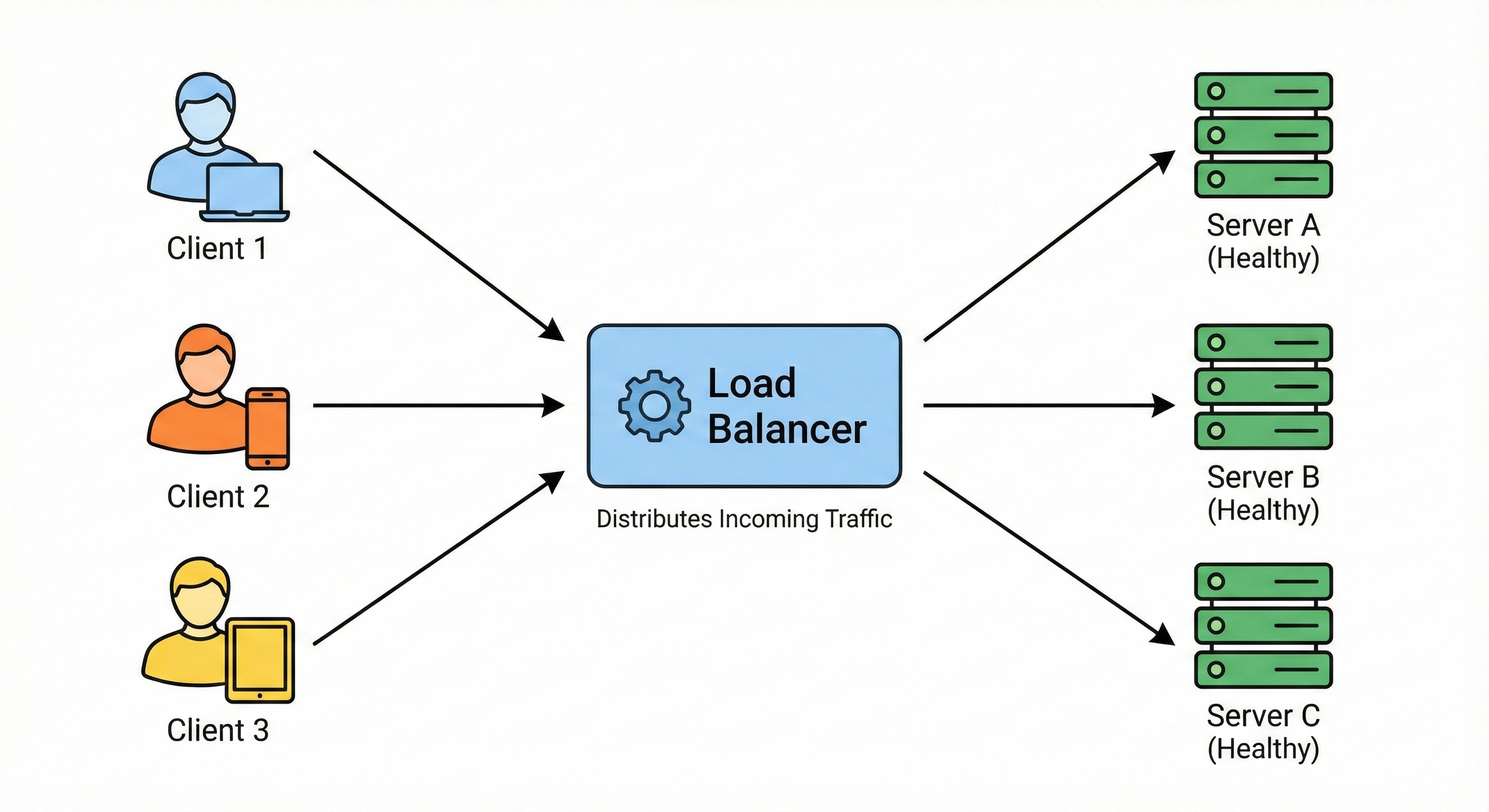
Load Balancing is the process of distributing incoming network traffic across multiple servers. This ensures that no single server bears too much load. By spreading the work, the application becomes more responsive and increases availability for users.
How It Works
A Load Balancer is a server or device that sits in front of your application servers. It acts as the entry point for all traffic. When a request comes in, the load balancer decides which server is best suited to handle it and forwards the request there.
It ensures that no single server bears too much load.
If a server goes down, the load balancer stops sending traffic to it and redirects users to the remaining healthy servers. This improves the availability and responsiveness of your application.
2. Caching
Retrieving data from a database requires reading from a hard disk, which is a slow operation compared to reading from memory. If your users request the same information repeatedly, fetching it from the database every time is inefficient.
Caching involves storing frequently accessed data in a temporary storage area called a cache.
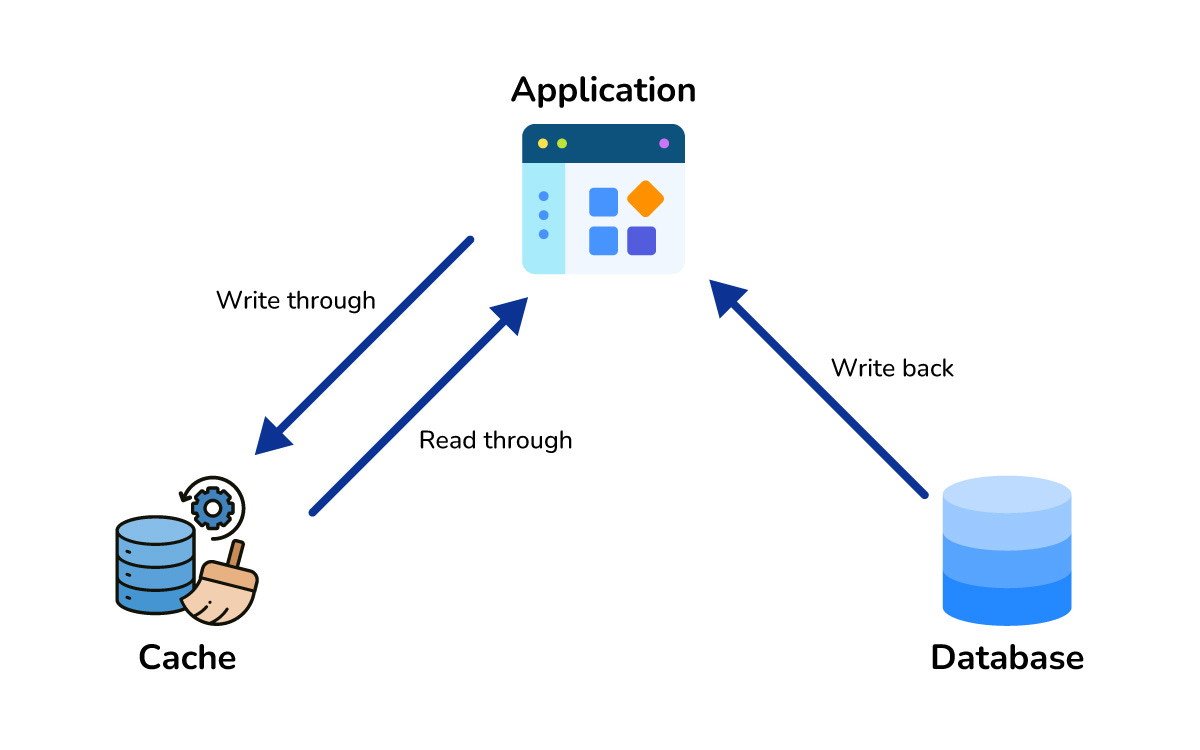
This storage is usually located in the computer’s Random Access Memory (RAM). RAM is significantly faster than a hard disk.
How It Works
When a user requests data, the system first checks the cache. If the data exists there (a cache hit), it is returned immediately. If it does not exist (a cache miss), the system fetches it from the database, sends it to the user, and then saves a copy in the cache for future requests. This drastically reduces latency.
3. Database Sharding
As your application gathers more users, your database grows. Eventually, a single database server will struggle to store all the data or handle the number of read and write operations required.
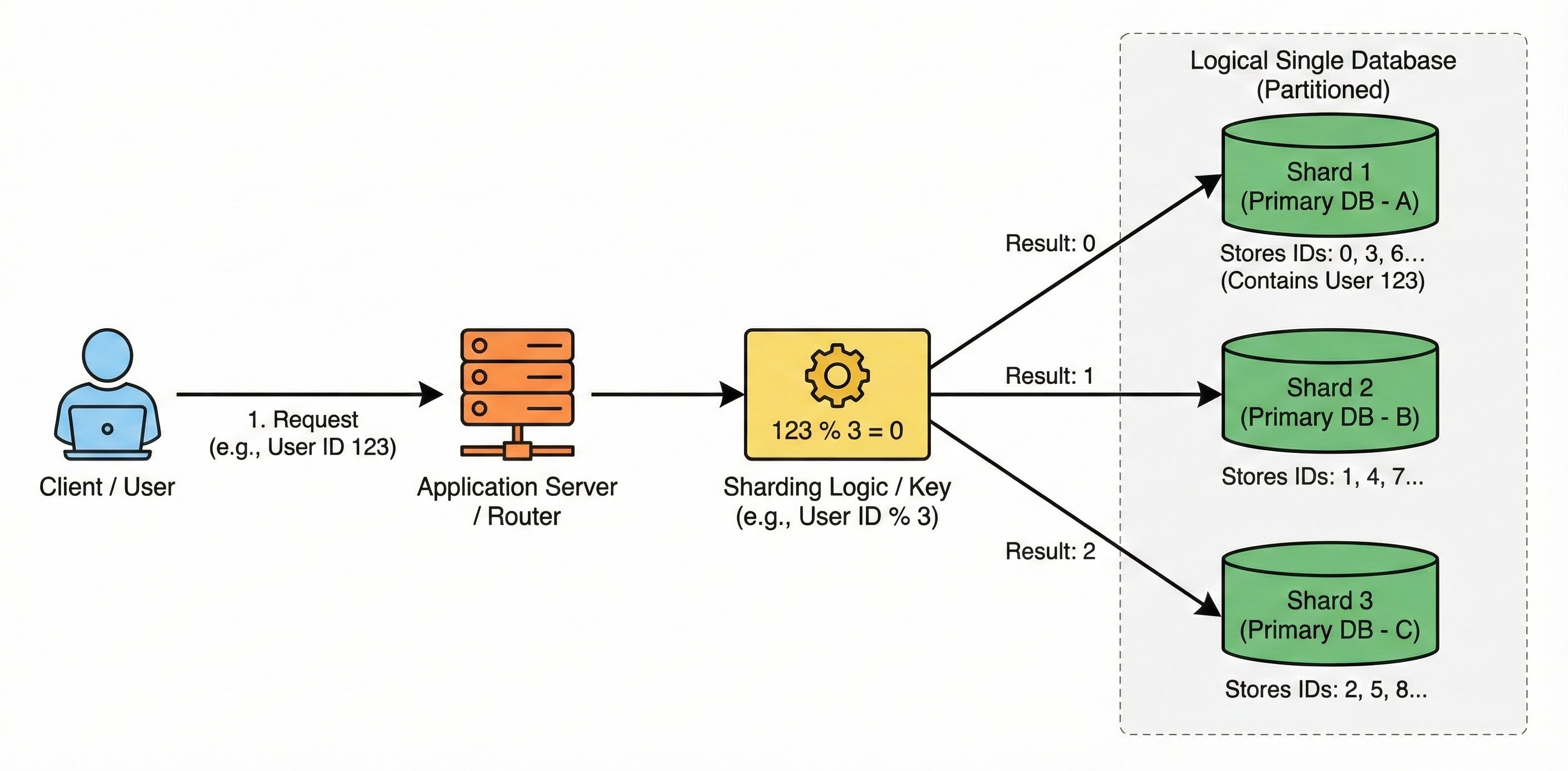
Sharding is a method of splitting a single logical database into multiple smaller databases. We call these smaller parts shards. Each shard lives on a separate physical server.
How It Works
You define a logic to determine which data goes to which server.
For instance, you might store all User IDs ending in an even number on Server A and all User IDs ending in an odd number on Server B. This effectively doubles your storage capacity and write throughput because you are writing to two different machines simultaneously.
4. Replication
Hardware failures are inevitable. If your data lives on only one server and that server breaks, you lose access to your data.
Replication is the process of keeping multiple copies of the same data on different servers.
In a standard setup, you have a Primary node and one or more Replica nodes.
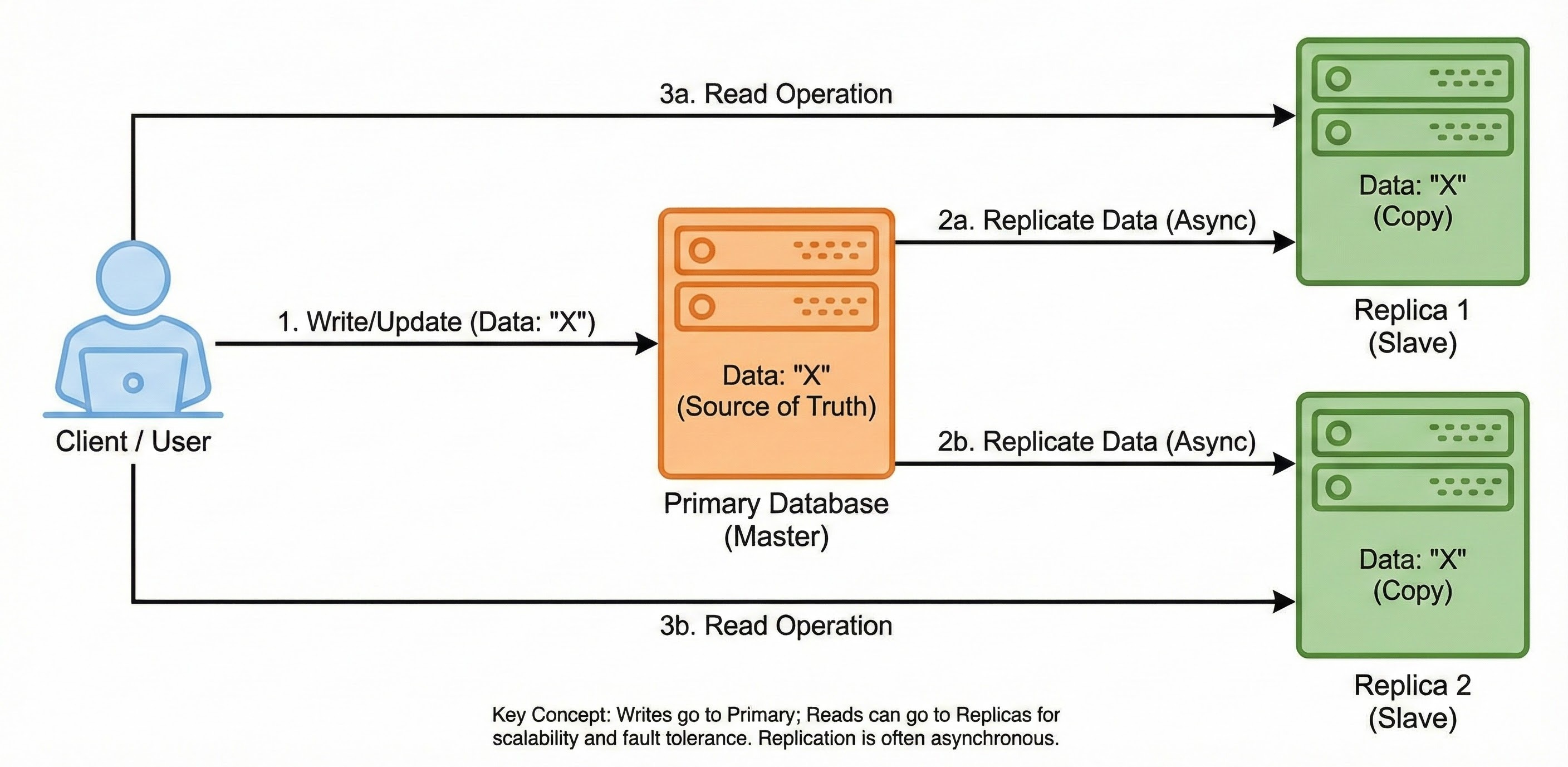
How It Works
All new data is written to the Primary node.
The Primary node then copies that data to the Replica nodes.
If the Primary node fails, one of the Replica nodes can step up to serve the data. This ensures your application remains functional even during hardware failures. It also allows you to distribute read operations across multiple replicas to speed up data retrieval.