
12 API Design Diagrams for FAANG Interviews
The Twelve API Design Diagrams Every Engineer Should Be Able to Draw, Covering API Styles, Pagination, Auth, Rate Limiting, and Reliability Patterns


Application programming interfaces sit between every part of a modern system.
An API, which is the set of rules that lets different pieces of software talk to each other, is how clients reach servers and how services reach one another.
Almost every system design question eventually touches API design, even when the question seems to be about something else.
Yet API design is often treated as an afterthought.
Many candidates can sketch a high-level architecture but freeze when asked how clients page through results, how the system throttles abusive traffic, or how a payment request avoids being charged twice on a retry. These details separate a vague design from a credible one, and interviewers at top companies know exactly where to probe.
The best way to be ready is to think in diagrams. Each API design pattern solves a specific problem and carries its own trade-offs.
Once these patterns are clear, API design stops being a weak spot and becomes a place to show real depth. The candidate who can picture each pattern knows which one to reach for and why.
This guide covers twelve API design diagrams that, together, handle the API portion of almost any interview.
For every diagram, there is a short description of what it is, when to use it, and the single most important idea it captures.
The goal is to make these patterns simple enough to draw from memory.
Category 1: API Paradigms
Diagram 1: REST Resource Hierarchy
This diagram shows an API organized around resources arranged in a nested structure.
A resource is a thing the API exposes, such as a user or an order, and each one has its own address.
The addresses nest to show relationships, such as a path that leads from a user to that user’s orders.
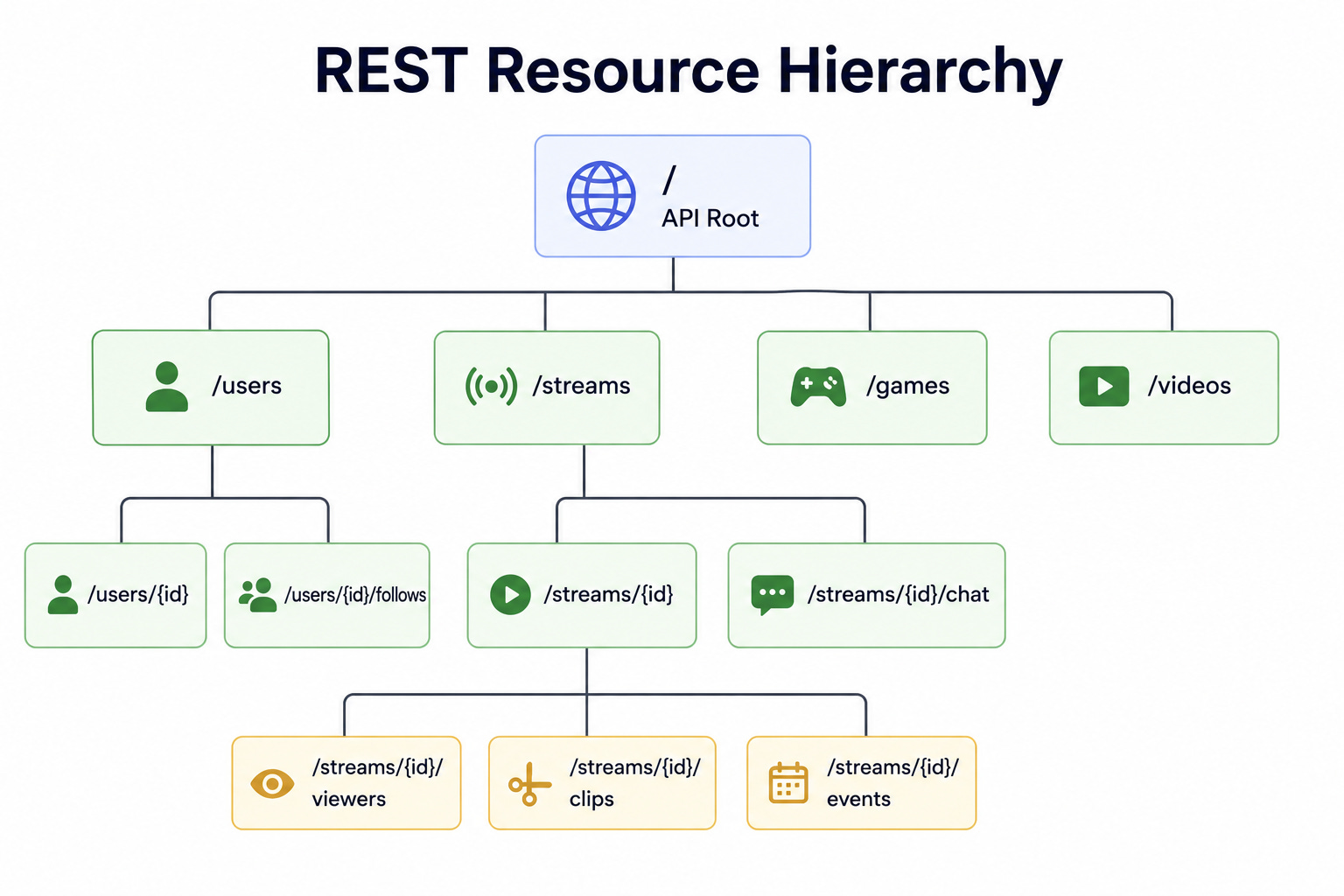
Standard actions like reading, creating, updating, and deleting are expressed through standard request types.
When to use it: REST fits public-facing APIs and general-purpose services where simplicity, broad support, and easy caching matter.
The key insight: REST organizes everything around resources and uses a small, predictable set of actions on them. This makes it simple to understand and easy to cache, but it can lead to fetching too much or too little data, because each address returns a fixed shape.
Diagram 2: GraphQL Schema
This diagram shows a single entry point backed by a schema that describes every type of data and how the types connect.
A schema is the definition of what data exists and how it relates.
Instead of calling many addresses, the client sends one request that states exactly which fields it wants, and the server returns precisely that shape, including related data in one trip.
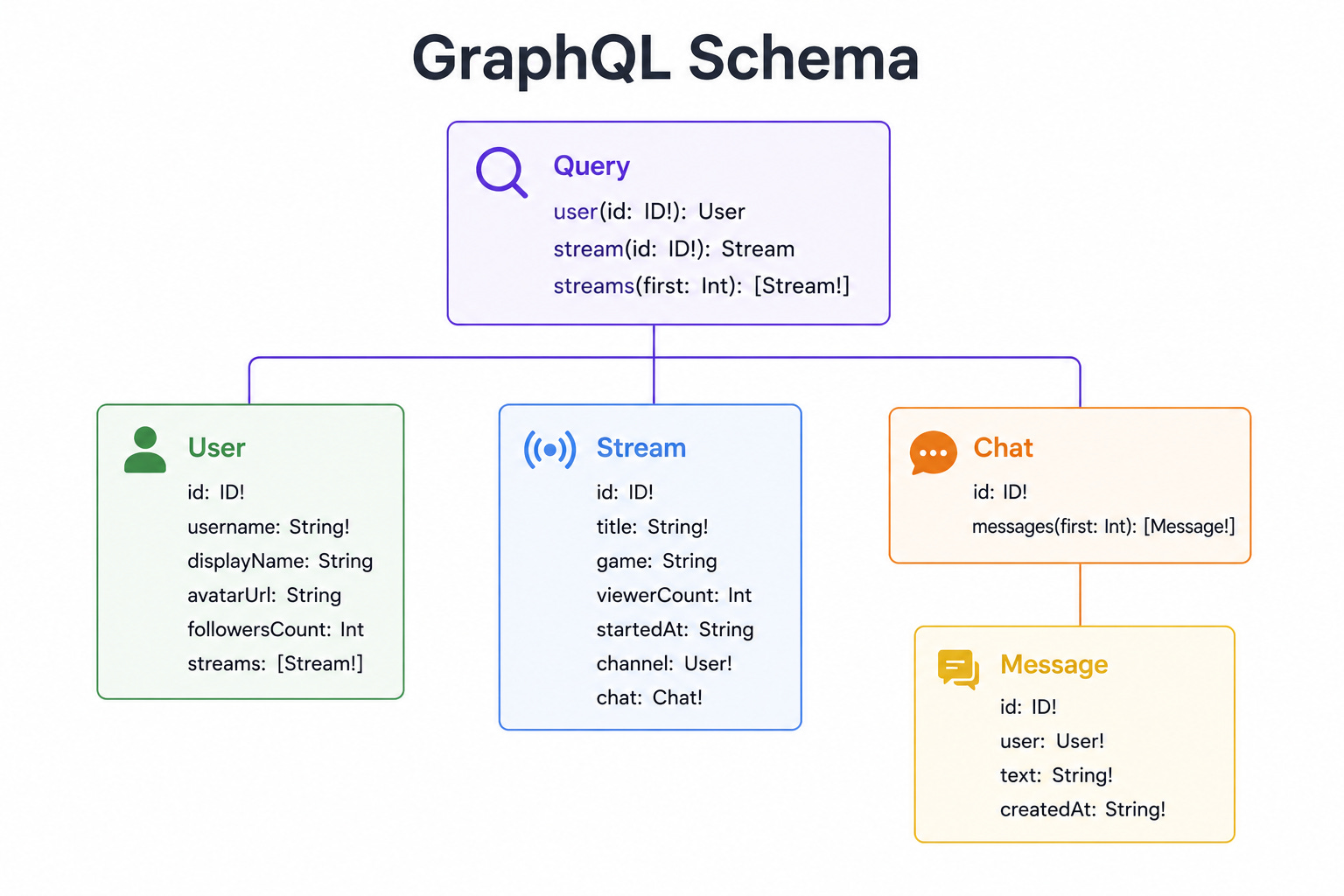
When to use it: GraphQL fits clients that need flexible, varied data, such as mobile apps and rich front ends that want to avoid many round trips.
The key insight: GraphQL lets the client decide exactly what data it receives, which solves the problem of fetching too much or too little. The cost is added complexity on the server and harder caching, because every request can ask for a different shape.
Diagram 3: gRPC Service Definition
This diagram shows services and their methods defined in a strict contract file.
The contract lists each method, its inputs, and its outputs in a strongly typed way. Communication happens over a fast, efficient connection using a compact binary format rather than plain text, and it supports streaming data in both directions.
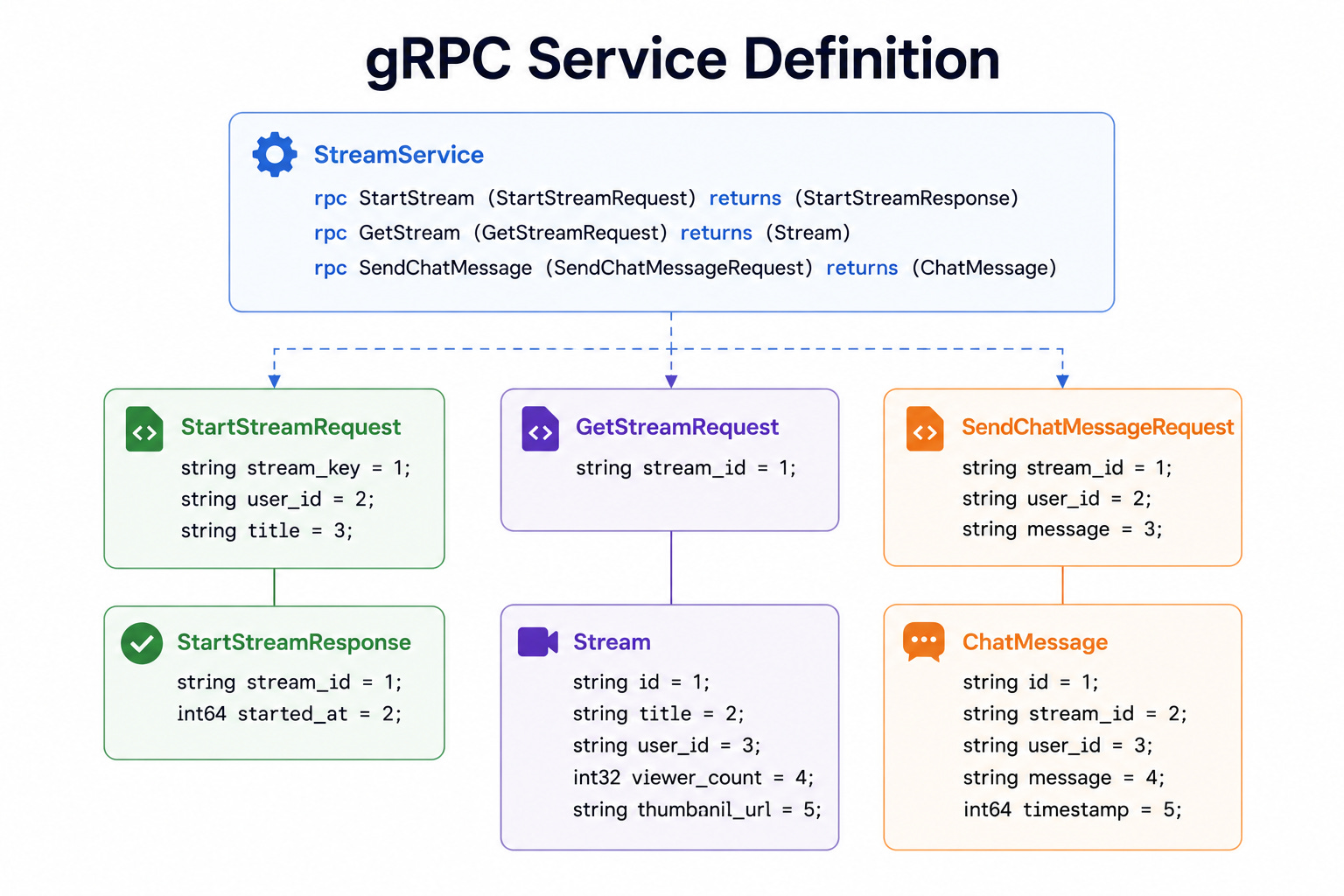
When to use it: gRPC fits communication between internal services, especially when speed and a strict contract matter more than being easy to call from a browser.
The key insight: gRPC trades the easy readability of text-based APIs for speed and a strong contract. This makes it excellent for fast internal service-to-service communication, but less convenient for public clients and browsers.
Category 2: Reading Data at Scale
Diagram 4: Pagination Compared
This diagram places three ways of paging through large result sets side by side.
Offset pagination asks for a page by skipping a number of rows, such as skipping the first forty to get the next twenty.
Cursor pagination uses an opaque pointer that marks the exact position where the last page ended.
Keyset pagination uses the value of a sortable column, asking for rows that come after the last value seen.
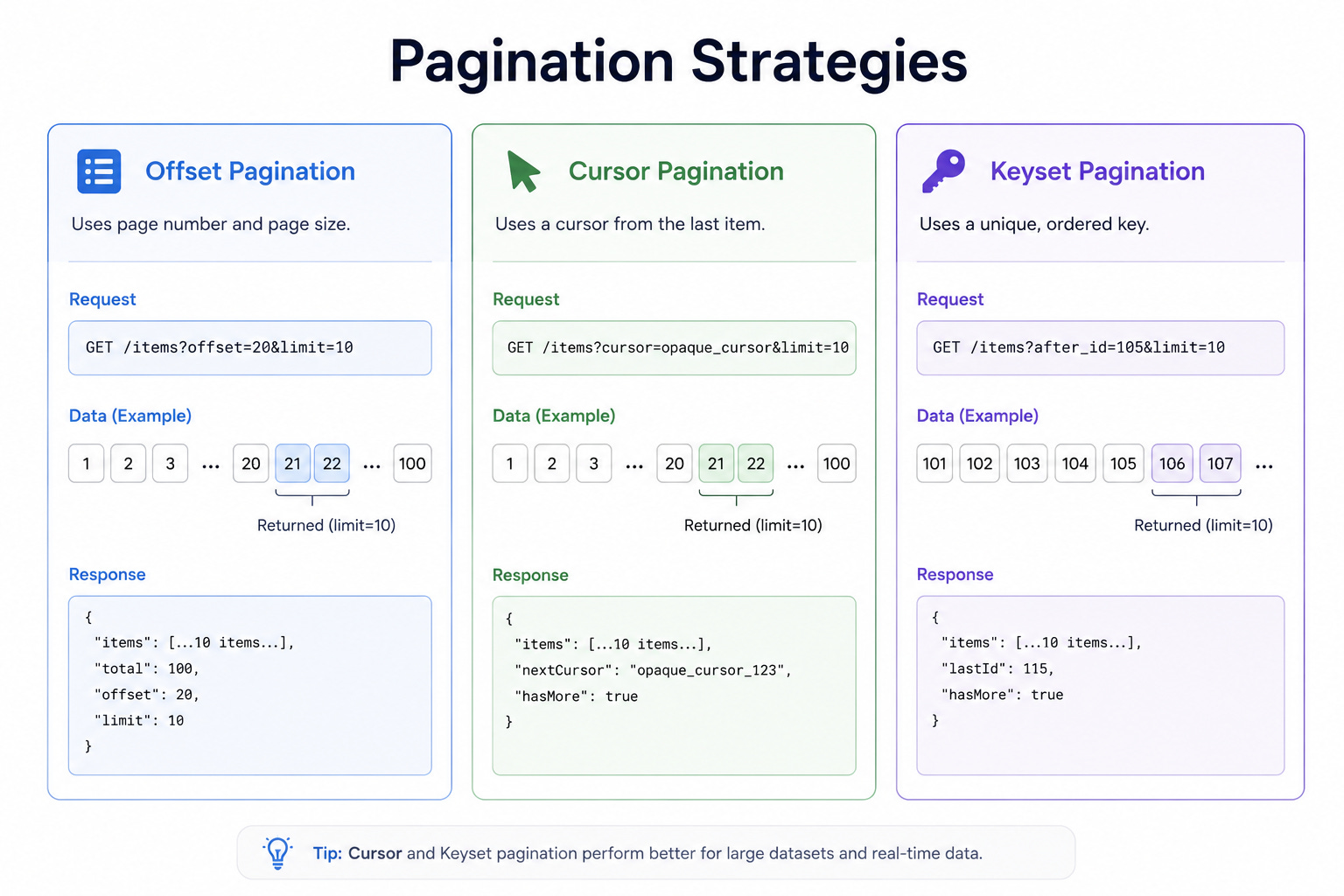
When to use it: Offset fits small datasets and simple page numbers. Cursor and keyset fit large datasets and continuous scrolling where performance and consistency matter.
The key insight: Offset is simple but slows down badly on large datasets and can show duplicate or skipped items when data changes underneath. Cursor and keyset stay fast and consistent at scale, but they give up the ability to jump directly to an arbitrary page number.